4
1 INTRODUCTION
QUICK CONNECT GUIDE
Perhaps the best and most flexible way to enjoy your FM9 is through a full-range system such as studio monitors,
a high-quality PA, or full-range speakers designed specically for guitar. All of the factory presets are designed for
this type of setup.
The FM9 is incredibly flexible, however, and many other types of setups can be used, including those based on tube
amps, USB recording, 3rd-party outboard equipment, and more.
Find additional setup diagrams in Section 4.
The most basic setup instructions appear below:
FRFR = "Full Range, Flat Response"
FRFR stands for “Full-Range, Flat Response,” a term used to describe a system which aims to accurately
reproduce the entire audio spectrum. In comparison, traditional guitar speakers have limited range lacking
extended lows and highs, and are not at all “flat,” meaning certain frequencies are markedly louder or quieter.
FRFR systems such as studio monitors, high-quality PA speakers, and FRFR speakers designed specically for
guitar are designed to accurately reproduce anything played through them, making them ideal for a modeling
processor like the FM9. Of course, even these may vary, depending on which FRFR you choose.
q
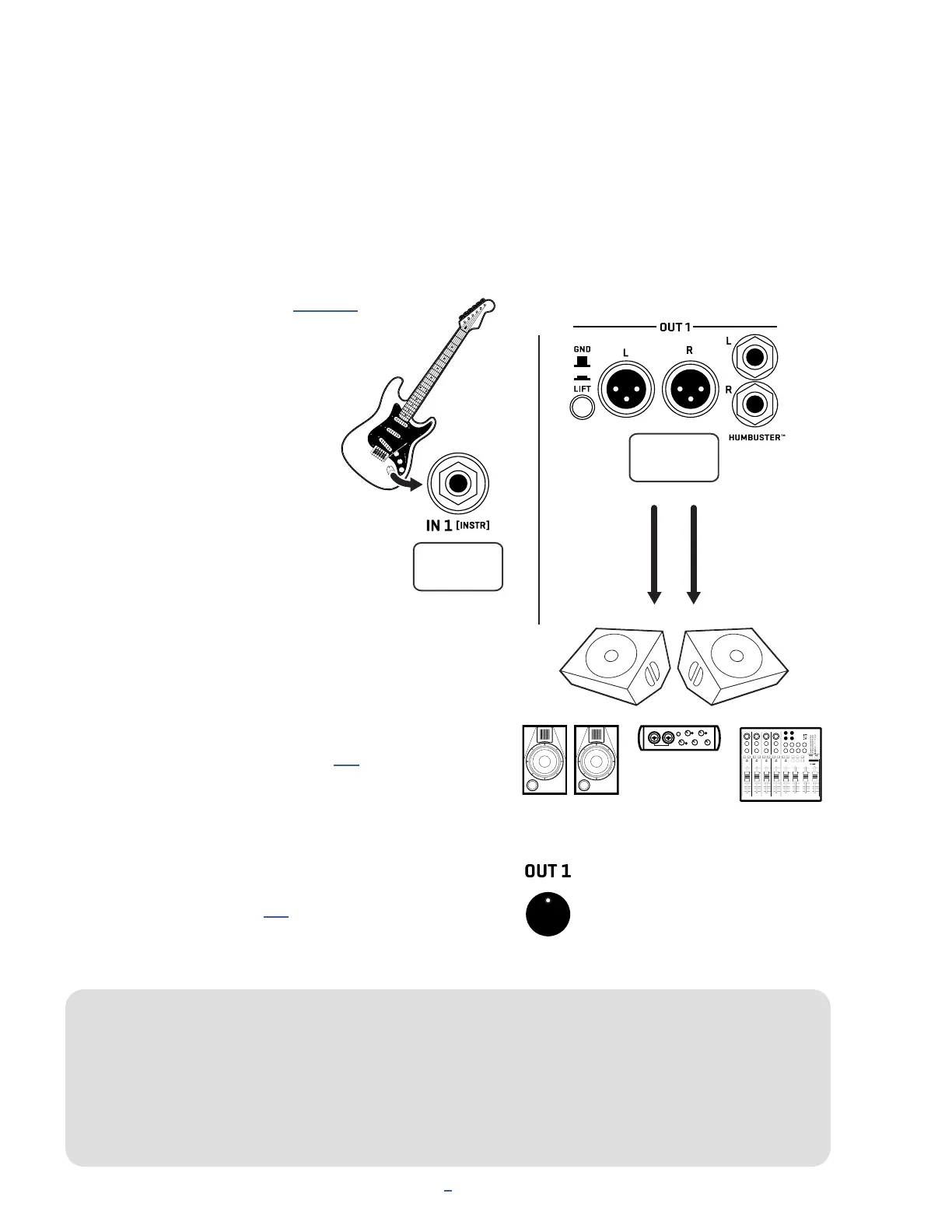
Begin with all level knobs turned down.
Connect your guitar to FM9
Instrument input (Input 1).
The FM9 is also perfect for bass
and other instruments.
w
Connect Output 1 to your mixer, studio
monitors, audio interface, PA system, full-range
speakers, power amp inputs, etc. You can use
either the XLR outs or the 1/4" outputs.
For a mono rig, use Out 1 Left.
For optional stereo, also connect Out 1 Right.
Use XLR-to-XLR cables or XLR-to-TRS cables
when connecting to balanced inputs.
Use regular patch cords, XLR-to-1/4" (TS)
cables, or Humbuster™ Cables (see p. 6)
with 1/4" unbalanced inputs.
e
Slowly turn up the front panel OUT 1 knob and adjust the
level on your monitors as desired.
You can use the footswitches to explore factory
Presets and Scenes (see p. 8) or turn VALUE to
select presets and NAV Up/Down for Scenes.
IN 1
OUT 1
Use
Out 1 L
for
Mono
FRFR speakers, Studio Monitors
Audio Interface or Mixer
Add
Out 1 R
for
Stereo
(Use XLR or 1/4”)
The front Out 1 knob adjusts the
level of what you hear in this setup.



 To Next Page