28
4 SETTING UP
CONNECTIONS
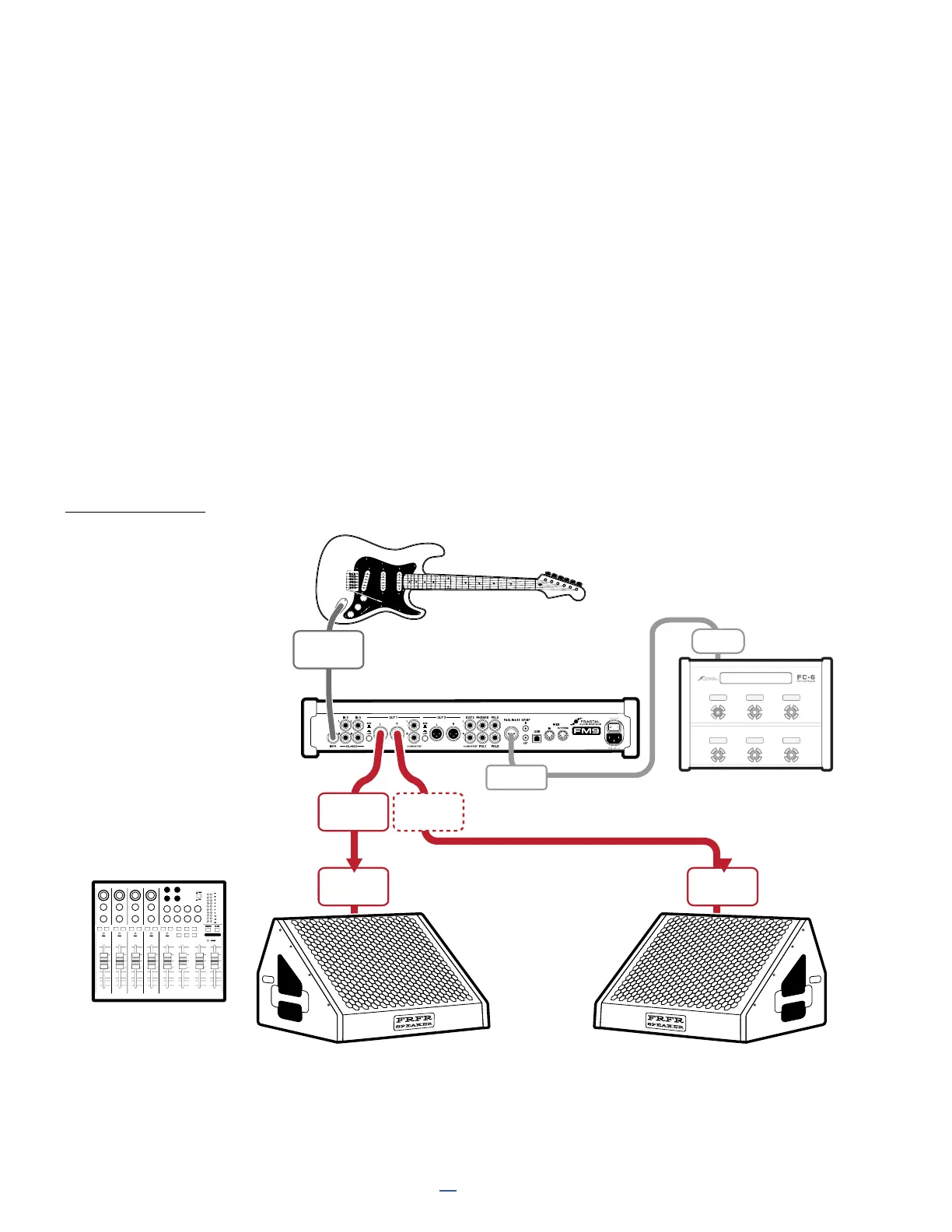
Connect your guitar to
Input 1 (Instrument).
Connect Output 1 to
the input(s) of your
FRFR System. Use Left
for mono or Left and
Right for stereo.
If you’re using a mixer,
be sure to connect the
FM9 to line level inputs
rather than mic level
inputs. Also, “zero out”
all other channel settings
to begin. Contact your
mixer’s manufacturer if
you have any questions.
FRFR/DIRECT
Global Settings: Default
Presets: Factory or Custom
This setup takes advantage of the ability of the FM9 to recreate all aspects of an “end-to-end” guitar chain, including
virtual stompboxes, amps, cabs, studio effects, and more. It is the most versatile, flexible, and popular setup.
Output 1 is connected directly to full-range, flat response (“FRFR”) speakers or a PA. A number of manufacturers
offer FRFR products designed specically for guitar, but any high quality PA speaker or monitor can be used.
Some FRFR systems have a built in amplier, while others have separate power amp and speaker components.
All Global and I/O settings on the FM9 can be left at default settings for this setup, and factory presets can be
used without modication.
Adjust overall levels using the front panel OUT 1 knob.
An optional FC-6 is shown in this diagram. The FM9 is designed to be expanded with up to two FC Controllers.
FM9
IN 1
(INSTR)
PERSONAL
FRFR
MONITORS
OUTPUT
1L
OUTPUT
1R
LINE
INPUT
LINE
INPUT
Optional
for Stereo
Optional
FC-12 or FC-6
FASLINK II
Port (Female)
FASLINK II
Port (Male)



 To Next Page