82
10 LAYOUTS & SWITCHES
FM9 FOOTSWITCH FAQ
As mentioned throughout this manual, the “The Footswitch Functions Guide” covers everything there is to know
about the many categories and functions that can be assign to Tap or Hold on any switch.
Here is a quick summary of common questions.
: Q How do the LED rings for EFFECT switches work?
: A The LED Rings show up-to-the-moment information about the assigned effect. If the ring is DIM, the effect
is OFF. If the ring is BRIGHT, the effect is ON. If the ring is completely OFF, then the assigned effect is NOT
AVAILABLE in the current preset.
TIP: One of the most common uses for “Per Preset Footswitches” is to override an
unused effect switch with one for an effect that is used in that preset.
: Q How do I assign presets to footswitches?
: A This can be done using the PRESET: SELECT function, but this approach is really only appropriate if you use
very few presets in total. Instead, BANKS make it easy to get to get to many presets using few switches.
In fact, the preset Footswitches in the default FM9 layouts use the function “PRESET: SELECT IN BANK”.
Banks show presets in the order in which they are stored in the FM9. It is easy to reorder presets using
the Manage Presets area of FM9-Edit, where you can copy/paste or use drag-and-drop to swap preset
locations. Don’t forget to press “Save” to commit your changes. TIP: While using Manage Presets, turn
on the “FC Banks” option at the top so you can easily see which presets will map to which footswitches.
The FM9 includes many empty preset memories, providing room for you to store additional creations.
: Q All of my footswitch layouts are suddenly blank. What happened?
: A Reset System Parameters, a troubleshooting option in SETUP: Utilities
will cause this. Hopefully you have a backup. (See below)
: Q Can I back up, share, or restore my Footswitch Layouts?
: A Yes. Perhaps the most common way to back up your footswitch layouts is to receive a backup of your
SYSTEM using Fractal-Bot (p. 13). The system le contains all of the layouts and FC settings.
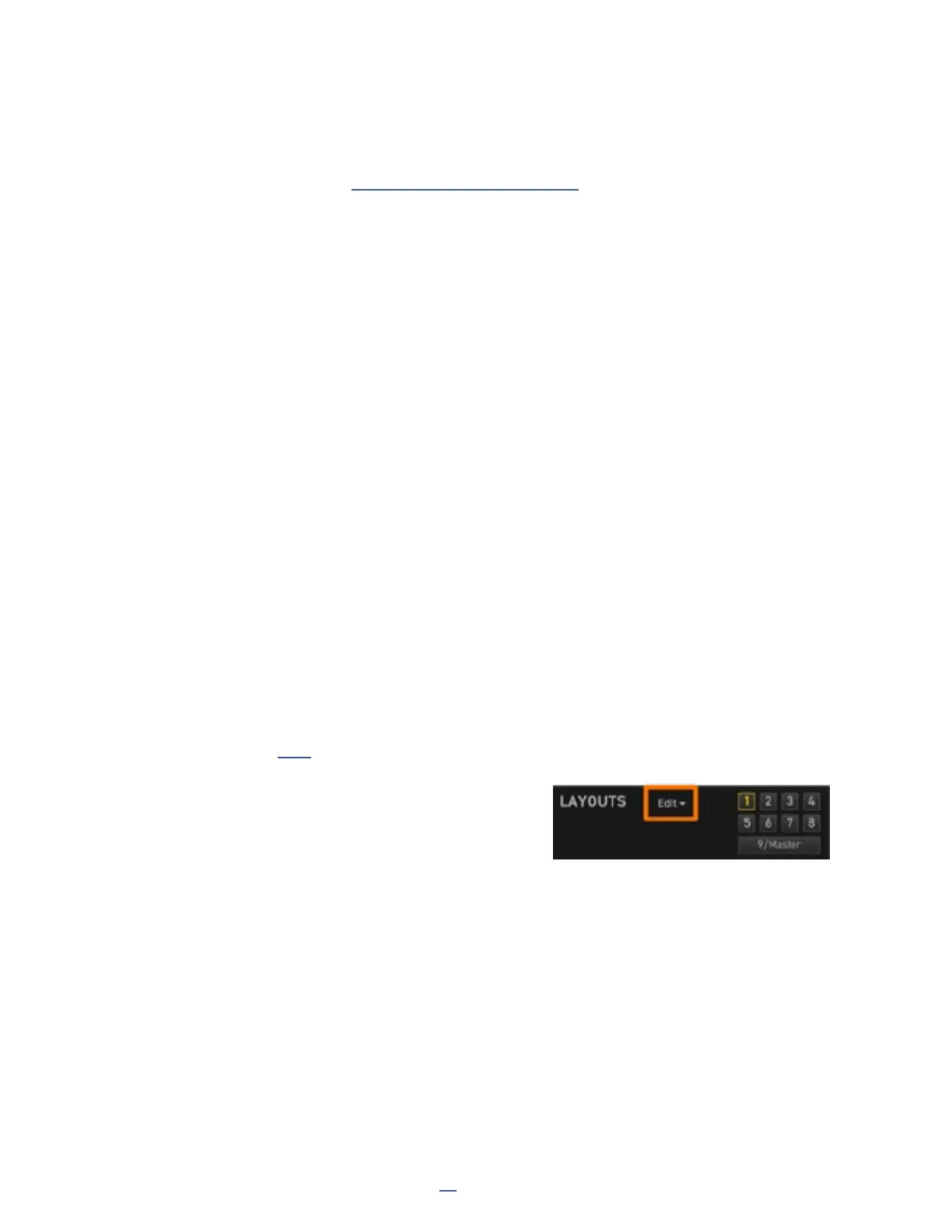
FM9-Edit is even more flexible, with options to export
or import individual layouts or the entire set. Find these
choices in the Edit menu dropdown located in the LAYOUTS
panel of the FC Controllers area of FM9-Edit.



 To Next Page