81
10 LAYOUTS & SWITCHES
LAYOUT VIEWS
You will recall that a layout consists of twelve footswitch denitions, only nine of which are displayed when that
layout is used on an FM9
1
. Views allow you to take advantage of the remaining three switches, and also allow a
connected FC-6 to show switches 1-6 or 7-12, thereby maximizing the utility of each layout.
You typically change the view by using a footswitch function, but there are other ways as well. On the Home page
of the Home menu, knob D changes the View, as does a parameter found in Setup: C Controllers: Devices.
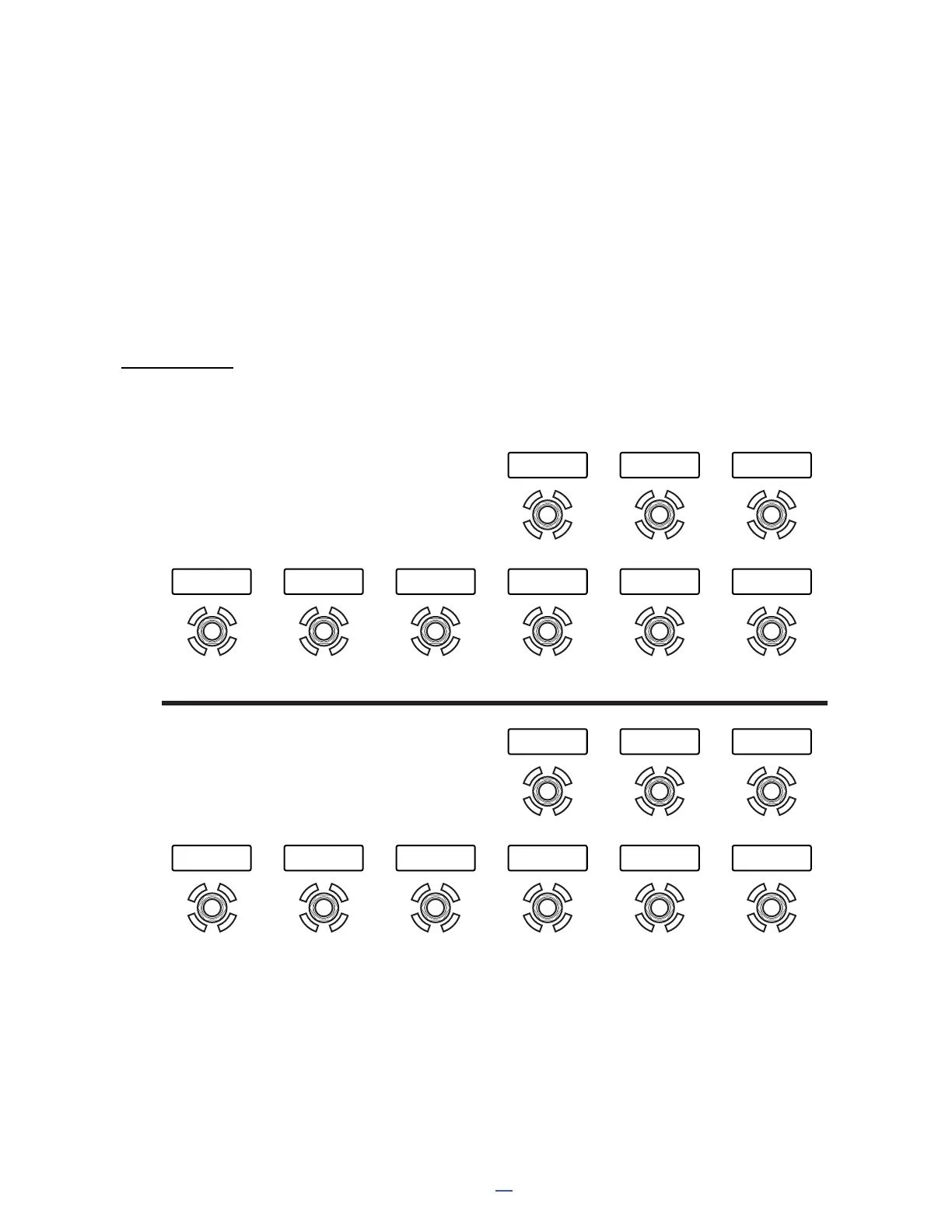
The allocation of switches between View 1 and View 2 is illustrated below.
1 A connected FC-12 can show all 12 at once.
On the FM9, View 2 shows only three switches — those “left over” from View 1. To maximize their utility without
the need to sacrice a tap or hold function, a switch in the top row is hard-coded to change back to View 1.
1 2 3 4 5 6
7 8 9
10 11 12 -- -- --
-- --
VIEW 1
VIEW 2
<<VIEW 1



 To Next Page