68
9 MODIFIERS
TUTORIAL: SCENE CONTROLLERS
This tutorial requires FM-9 Edit. It assigns a Scene Controller to adjust the Input Drive of an Amp block. While it
is easy enough to achieve different amp sounds within a preset simply by switching the channel, this example
provides an excellent and easy way to understand how Scene Controllers work.
1. Load the factory preset “#030 Wreckers”.
2. To simplify this preset for our current needs, select Scene 1 “Rocket” if it isn’t already selected. Then, from
the Scenes6 dropdown (near the yellow preset name) choose Copy: Copy Current Scene to All.
3. Now let’s create the modier: Click on the Amp block in the grid and nd the Drive parameter on the Authentic
page. Notice the open yellow modier “ring” beneath the knob? This means the parameter can be controlled
by a modier.
4. Right-click or Ctrl-Click the Drive knob to show the Edit Modier screen.
5. Click the Source dropdown and select Scene Controller 1.
6. For this tutorial, you don’t need any custom settings on the Modify page, so you may now close the modier
screen. Notice that the open yellow modier symbol below Drive is now a solid yellow dot.
7. Now let’s set some values for Scene Controller 1. Click the Controllers button in the upper left below the FM9-
Edit logo.
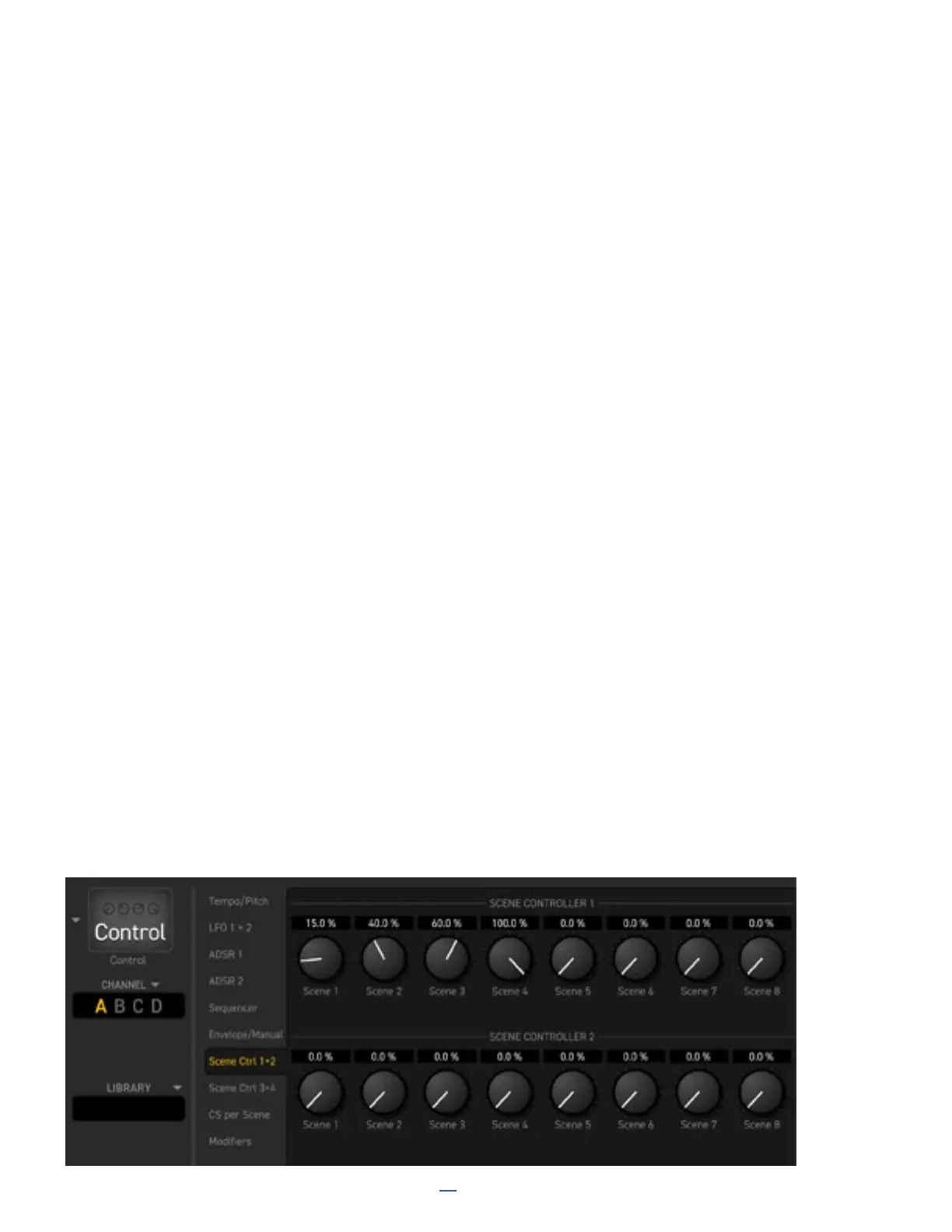
8. Click the “Scene Ctrl 1+2” tab from the list in the second column of the bottom pane of the editor.
9. Notice the eight different values for SCENE CONTROLLER 1. These will set the value for our target parameter
in each of the eight scenes. You can dial in these values now. Set Scene 1 to 15%. Set Scene 2 to 40%. Set
Scene 3 to 60%. Set Scene 4 to 100%.
10. Click the Amp Block so we can see it in action. Watch the Drive knob change as you select scenes 1–4. Try
it out with a guitar so you can hear it in action. Now would also be a good time to rename the scenes if you
want to.
11. Feel free to assign other Scene Controllers to other parameters in your preset as desired.
12. If you want to save your work, use Preset: Save to New Preset Number to avoid overwriting a factory preset.
TIP: You can also edit Scene Controllers without using FM9-Edit. Create a modier in the usual way and then
nd the scene controller values on the Scene Ctrl page of the Controllers menu (Press HOME, then Push-knob C).



 To Next Page