59
9 MODIFIERS
Modiers are one of the most exciting features on the FM9. They allow sound parameters to be remote controlled or
automated in real time. With modiers, anything goes: an expression pedal might operate a wah or whammy. A step
sequencer or LFO might sweep a lter. A footswitch or MIDI message might adjust effects, volume, and much, much
more. Modiers are easy to use, but have fantastic potential for those who want extreme creativity or control.
CREATING A MODIFIER
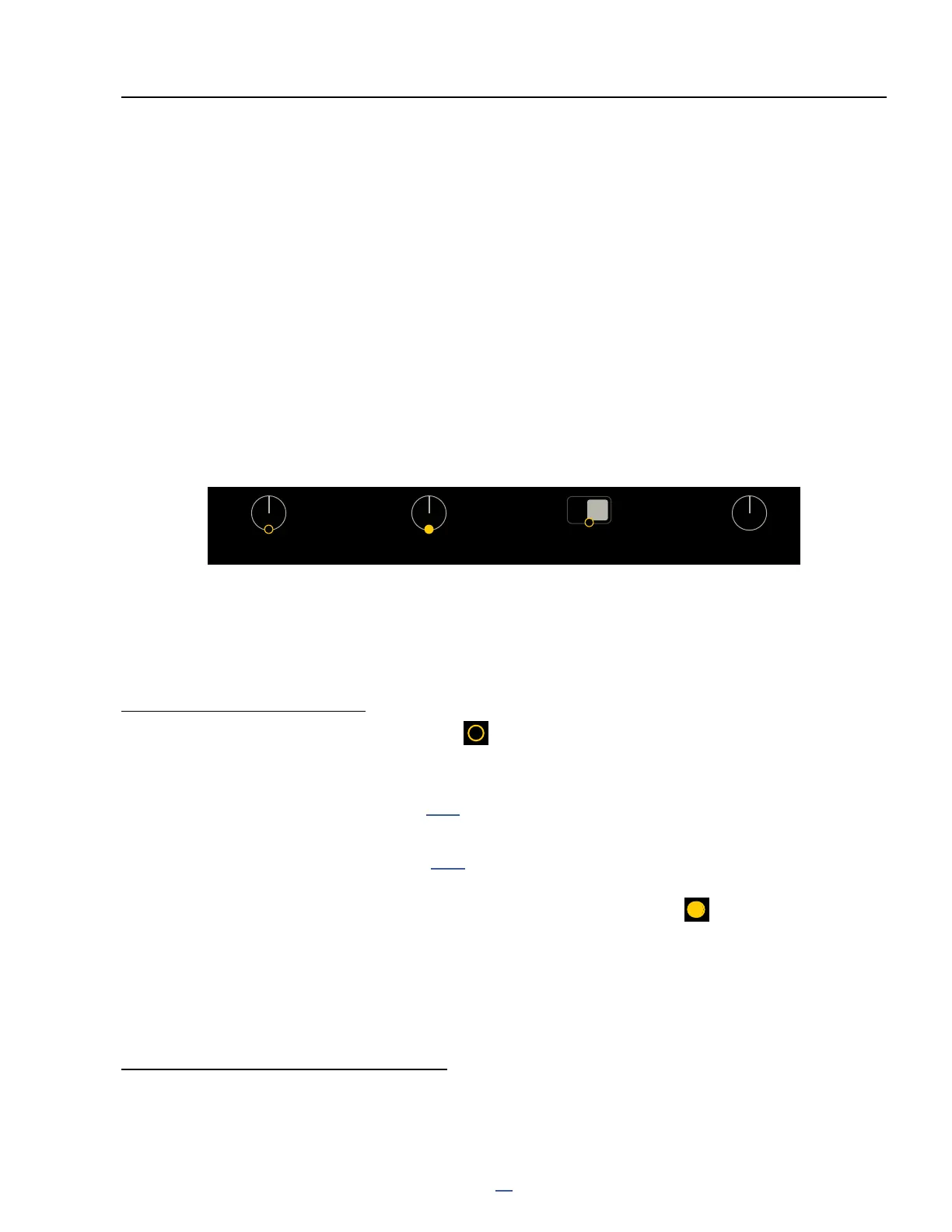
The process of creating a modier begins right at the parameter you want to control. Parameters that can be
controlled are marked with a yellow circular symbol (shown below on a knob and a switch). When a modier is
already present, the circle will be solid yellow, like an LED that has been turned ON. You will see the same symbol
whether the target parameter is on a knob page, a text page, or any other type of menu.
The open circle
means you can add a
modier here.
The lled circle
means a modier is
already present.
Here, a switch
instead of a knob
allows a modier.
This parameter
has no option for a
modier.
TO CREATE A MODIFIER...
Select any parameter that supports a modier.
Press the ENTER button or press the MODIFIER button (Push-knob C) to show the Modier menu.
The Modier Source page will appear. Select a SOURCE to control the
parameter. Learn more about Sources on p. 61.
Press PAGE RIGHT to switch to the Modify page (you must select a source rst!)
Learn more about Modier parameters on p. 62. If nothing else, check that MIN and MAX
are set to the lowest and highest values you want to hear as the source changes.
Press EXIT to leave the modier menu. You will notice that the dot is now solid.
Modiers will animate on-screen knobs, faders switches and graphs.
For text menu parameters, a bar graph shows the value of the source.
You must STORE the preset to save any modier changes.
In FM9-Edit, RIGHT-CLICK or Control Click a modiable parameter to show the modier screen.
TO EDIT OR REMOVE A MODIFIER…
To edit an existing modier, use the same process as creating a modier.
To remove a modier, change its SOURCE to “NONE”.
9 MODIFIERS
Level
Bright
ON
Balance Air



 To Next Page