101
EN
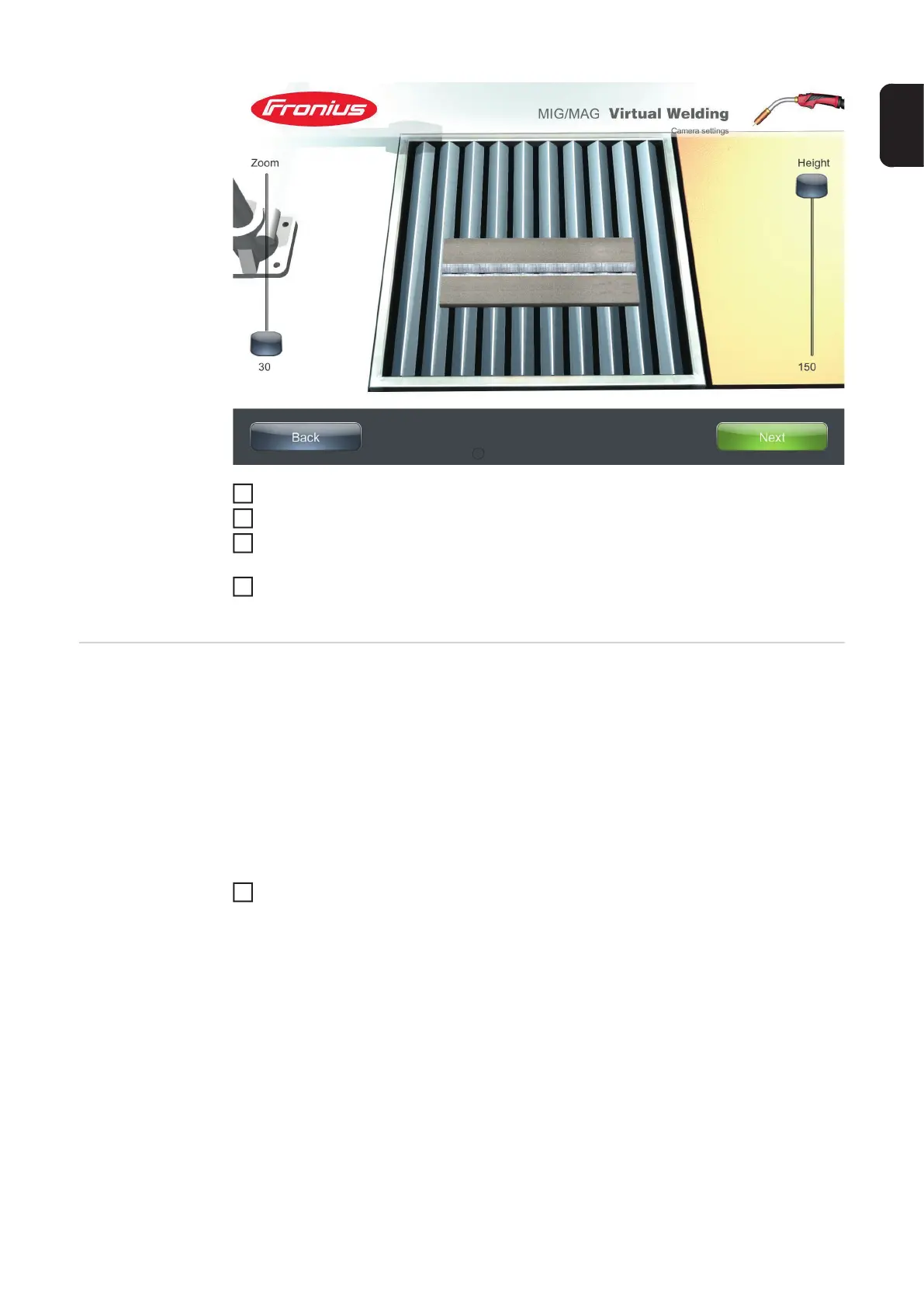
Select the required setting using the slider
Touch "Save"
Check the settings entered in the previous dialogue window and, if necessary, restore
the factory settings by touching "Factory default"
Select "Save" in the previous dialogue window to return to the terminal management
screen
Calibrating the
hemisphere
tracking
Hemisphere tracking is used to establish the correct orientation for position recognition. At
workpiece level there is a magnet with a north pole and a south pole. The welding torch,
electrode holder, welding helmet, etc. each contain a position sensor which orientates itself
using the magnet in the workpiece surface. When entering the settings for hemisphere
tracking, the welding torch, electrode holder, welding helmet, etc. are positioned at specific
points above the workpiece surface. This enables the system to learn which magnetic pole
is assigned to the area above the workpiece surface. and prevents the formation of a mirror
image.
A hemisphere tracking prompt appears each time the system is restarted. If you want to
turn on hemisphere tracking during operation:
On the "Calibration" tab, touch the "Start" button next to "Hemisphere tracking"
A hemisphere tracking dialogue window opens:
3
4
5
6
1




 To Next Page