53
EN
Curriculum
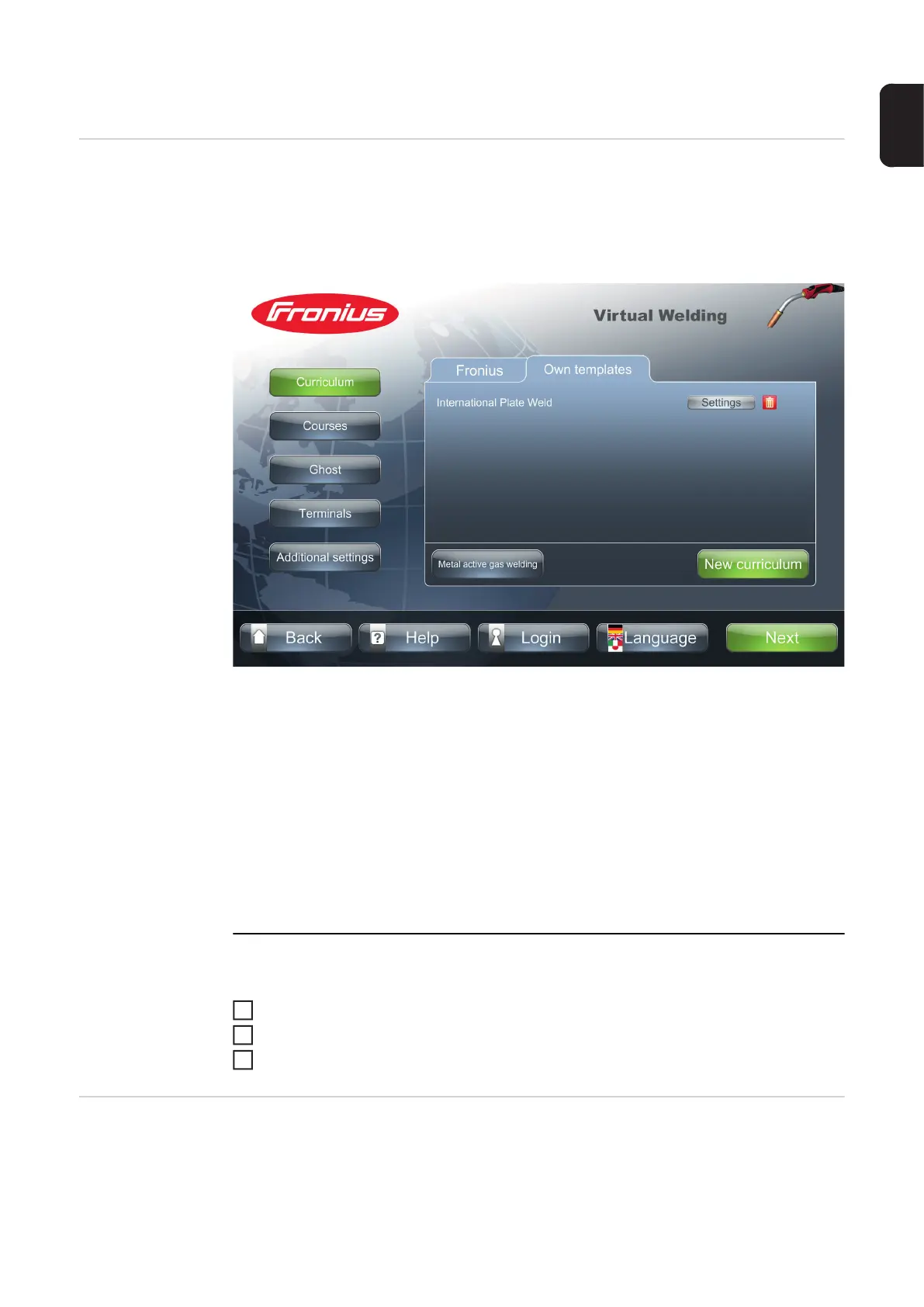
Curricula All currently available curricula are listed under the function "Curriculum". The manufactur-
er offers ready-made, recommended curricula designed for optimum teaching results. The
"Settings" function allows you to view the training courses and tasks at any time.
It is possible to create curricula for all welding processes.
The options can be limited according to the welding process, for example:
- "All"
- "Metal active gas welding"
("Metal active gas welding")
- "Manual metal arc welding"
("Manual metal arc welding")
- etc.
IMPORTANT!
Always organise the curricula in such a way that group-specific courses can be de-
rived from them.
This makes it easier to handle successive courses with identical training content.
To delete a curriculum:
Select the "deactivated" tab
Touch "Delete"
Enter the following code: "12111977"
Creating a new
curriculum
The process for creating a new curriculum is described using the example of the "MIG/
MAG welding" process.
Creating a new curriculum for all other welding processes functions in exactly the same
way.
1
2
3




 To Next Page