108
NOTE!
The quiz is now available in Open mode.
Touch "Quiz" in terminal management
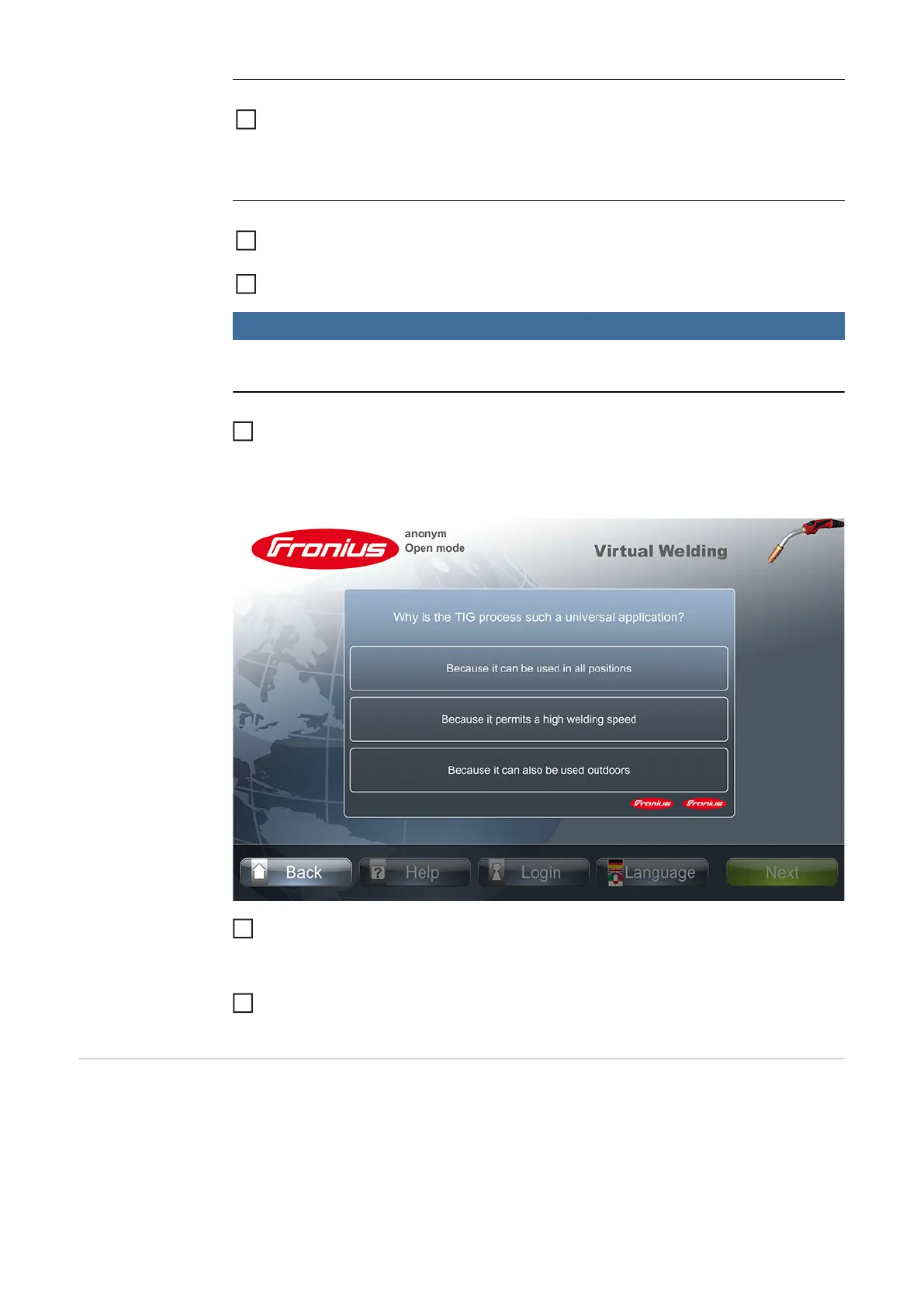
The first question of the activated quiz appears. The order of the questions and their pos-
sible answers are presented to the user at random.
Touch one of the three possible answers
The next question is displayed.
Continue as before until either all your "lives" (Fronius symbols) have been used up,
or you come to the end of the quiz (all the questions have been answered)
Change robot
manufacturer
If you have a "Robotics" licence for robot simulation, the "Change robot manufacturer"
menu item is available.
In the "Change robot manufacturer" menu, the robotic arm displayed during Robotics weld-
ing can be changed.
Permanently deleting
a temporarily deacti-
vated quiz
Touch the wastepaper basket icon next to the relevant quiz and delete it using the
code "12111977"
It is only possible to delete a personalised quiz, not the standard Fronius quiz.
1
Launch a quiz to test
knowledge
Open terminal management as described in the "Terminal management" section un-
der "Access"
Activate Open mode as described in the "Additional settings" section
1
2
3
4
5




 To Next Page