29
EN
Touchscreen and sensor
General Due to software updates, you may find that your device has certain functions that are not
described in these operating instructions or vice versa. Certain illustrations may also differ
slightly from the actual controls on your device, but these controls function in exactly the
same way.
Touchscreen and
sensor
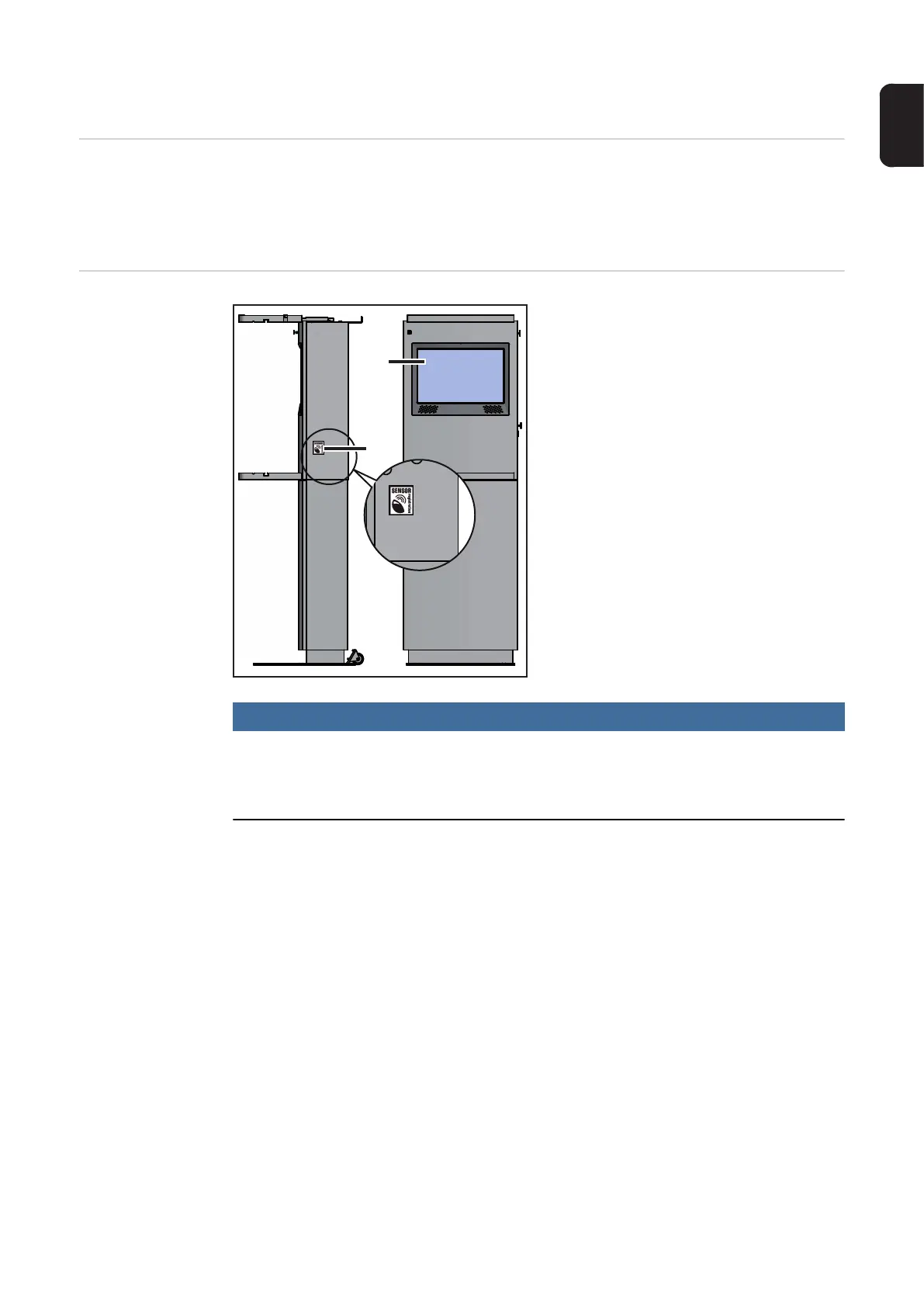
The touchscreen display (1) allows intuitive
operation by means of virtual buttons. The-
se are context-sensitive and can be opera-
ted by the simple touch of a finger.
With an authorisation card, the sensor (2)
acts as follows:
- Touch once:
Terminal management
- Touch twice:
Setup menu
- Touch three times:
Calibrate touchscreen
This necessitates holding a valid authorisa-
tion card close to the sensor (2).
NOTE!
Press the red Setup key to open the Setup menu on older systems with no sensor:
► Press once = access the Setup menu
► Press twice = calibrate touchscreen
More detailed information about "Terminal management", the "Setup menu" and "Calibrate
touchscreen" can be found in the corresponding chapters and sections of these Operating
Instructions.
(2)
(1)






 To Next Page