42
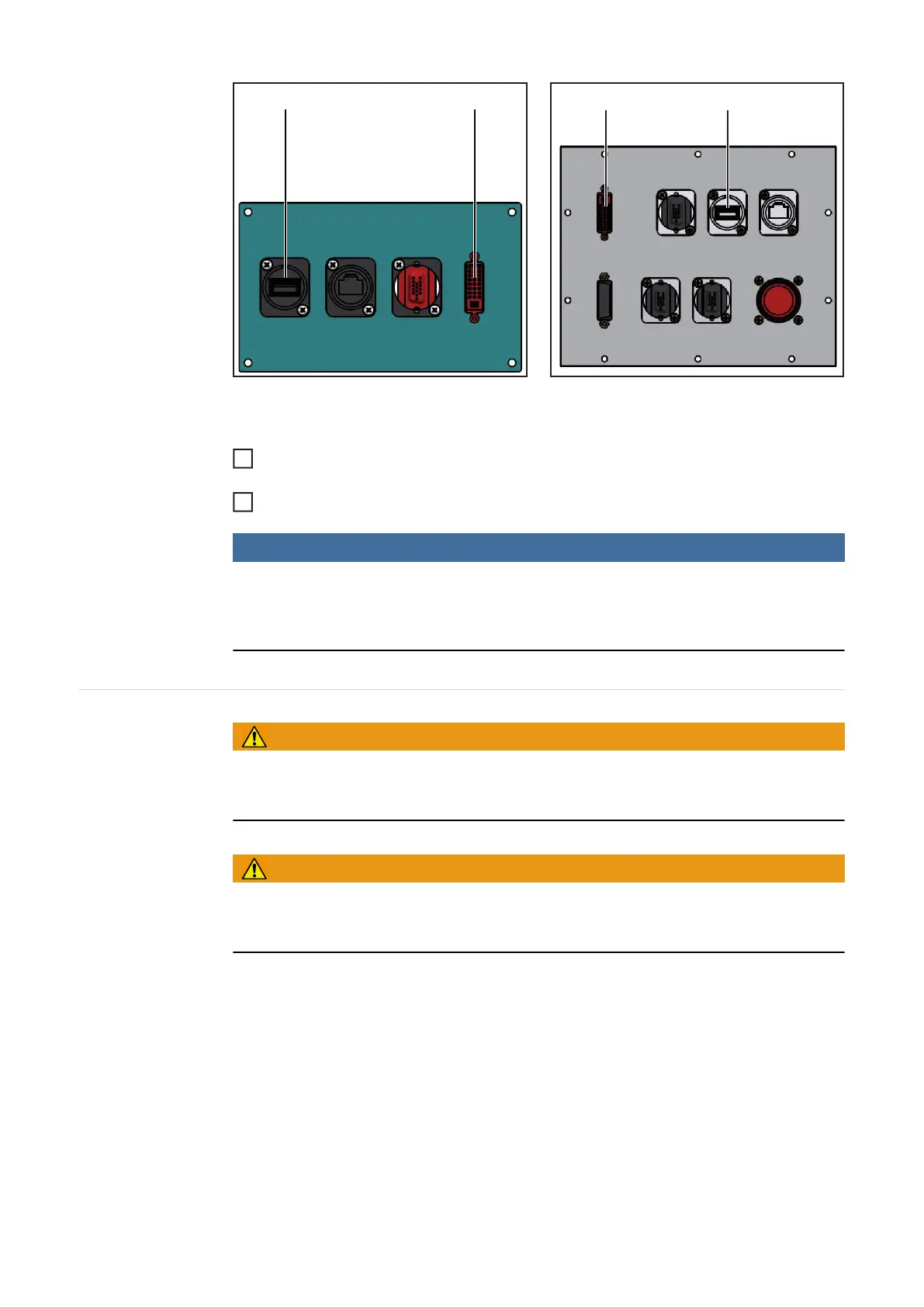
Terminal connecting plate MobileCase connecting plate
On the Virtual Welding system
Connect the data cable from the VR glasses to the VR glasses connection socket
(DVI) (1)
Connect the supply cable from the VR glasses to the USB connection socket (2)
NOTE!
If running under Windows 7, the touchscreen may need to be recalibrated after con-
necting and disconnecting the VR glasses.
Detailed information about calibrating the touchscreen can be found in the section "Cali-
brate touchscreen" in the chapter "Technical settings menu item".
Connect the
mains cable and
switch on the de-
vice
WARNING!
An electric shock can be fatal.
Use only the mains cable supplied. Only plug the mains cable into a correctly earthed sock-
et.
WARNING!
An overheated device poses a risk of fire and danger of serious injury and damage.
In case of smoke or unusual noise or smells, immediately set the mains switch to the "O"
position and pull out the mains plug.
(1)(2)
(2)(1)
1
2




 To Next Page