xii
Product Features
Frequently-used options can be added to the Q menu or a custom “my” menu or assigned to an Fn
(function) button for direct access. Customize camera controls to suit your style or situation.
The Q Menu (
P
47)
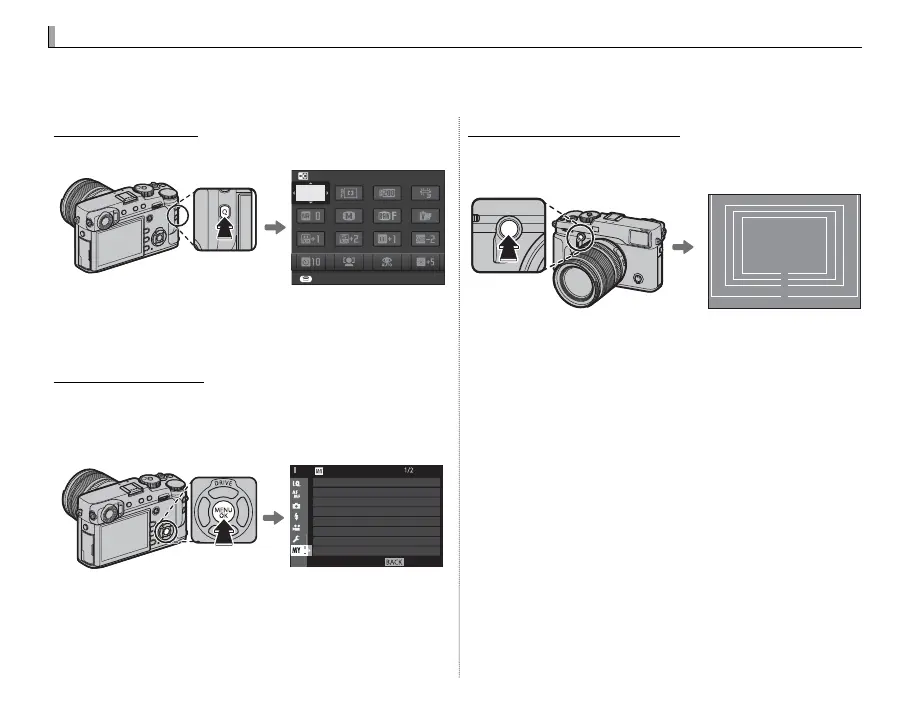
The Q menu is displayed by pressing the Q button.
SET
SELECT CUSTOM SETTING
BASE
Use the Q menu to view or change the options
selected for frequently-used menu items.
“My Menu” (
P
100)
Add frequently-used options to this custom
menu, which can be viewed by pressing MENU/OK
and selecting the E (“MY MENU”) tab.
EXIT
SELF-TIMER
INTERVAL TIMER SHOOTING
FILM SIMULATION BKT
PHOTOMETRY
SHUTTER TYPE
IS MODE
FACE/EYE DETECTION SETTING
ISO AUTO SETTING
MY MENU
R The E tab is only available if options have been as-
signed to “MY MENU”.
The Function Buttons (
P
50)
Use the function buttons for direct access to se-
lected features.
32
27
23
18
Press the button for direct access to the assigned function.
The illustration shows the Fn2 button being used to display the
bright frame simulation.



 To Next Page