45
Basic Movie Recording and Playback
Recording Movies
Q If the lens is equipped with an aperture mode
switch, select the aperture mode before beginning
recording. If an option other than A is selected,
shutter speed and aperture can be adjusted while
recording is in progress.
Q The microphone may pick up lens noise and other
sounds made by the camera during recording.
Q Vertical or horizontal streaks may appear in movies
containing very bright subjects. This is normal and
does not indicate a malfunction.
Depth of Field
Adjust aperture before recording begins. Choose
low f-numbers to soften background details.
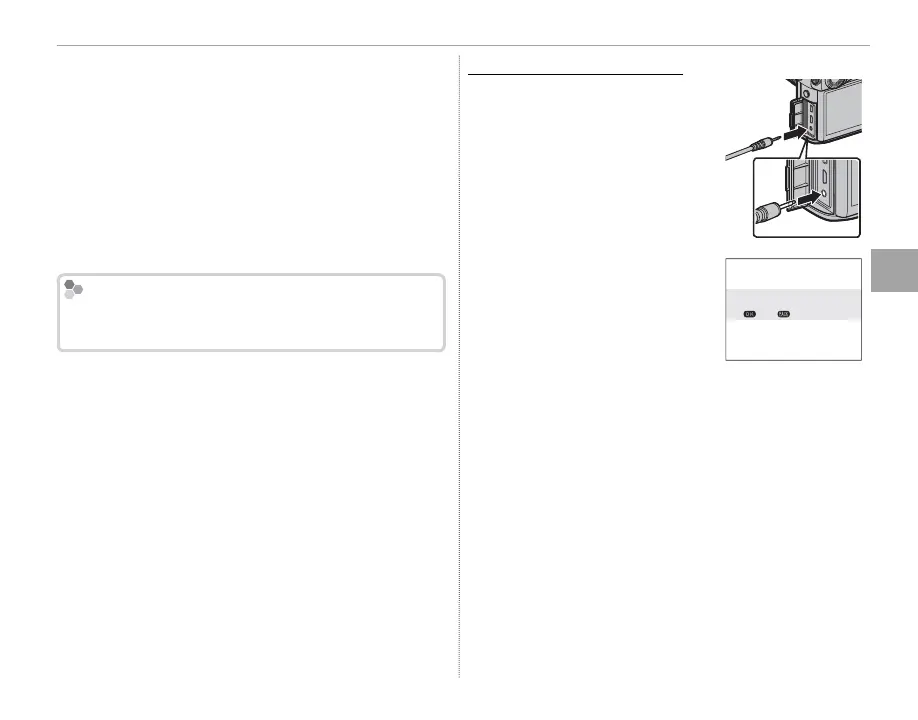
Using an External Microphone
Using an External Microphone
Sound can be recorded with
external microphones that con-
nect using jacks 2.5 mm in diam-
eter; microphones that require
bus power can not be used. See
the microphone manual for de-
tails.
R The dialog shown at right will be
displayed when a microphone is
connected to the microphone/
remote release connector. Press
MENU/OK and select MIC/RE-
MOTE RELEASE> m MIC.
CHECK MIC/REMOTE RELEASE
SETTING
SKIP
SET



 To Next Page