14
Lenses
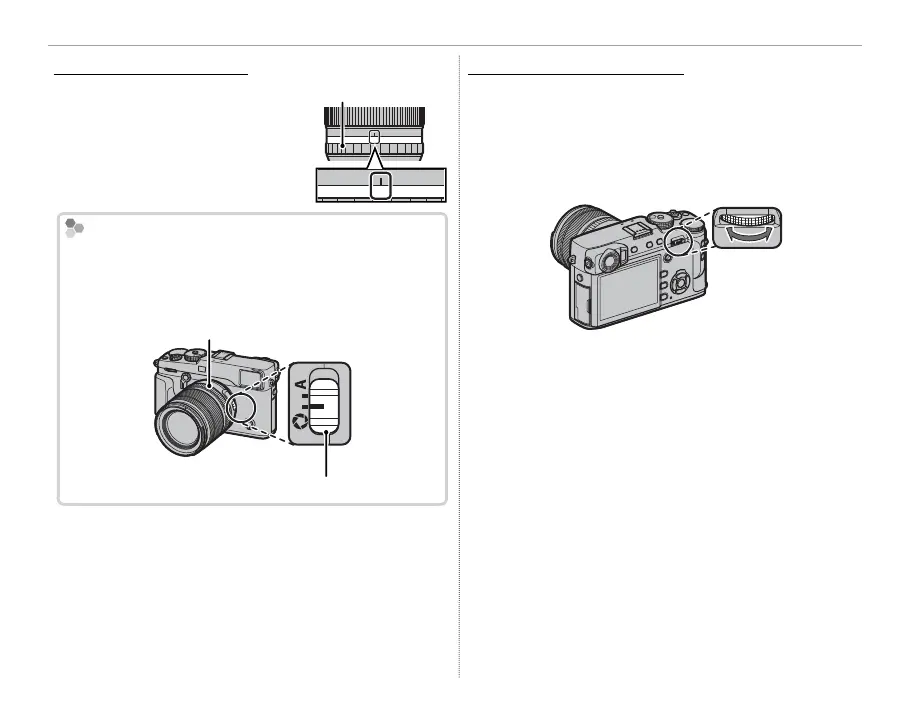
Lenses with Aperture Rings
Lenses with Aperture Rings
At settings other than A, you
can adjust aperture by rotat-
ing the lens aperture ring (ex-
posure modes A and M).
Aperture ring
A161185.64
2.8
The Aperture Mode Switch
If the lens has an aperture mode switch, aperture can
be adjusted manually by sliding the switch to Z and
rotating the aperture ring.
Aperture ring
Aperture mode switch
Q When the aperture ring is set to A, rotate the rear
command dial to adjust aperture.
Lenses with No Aperture Rings
Lenses with No Aperture Rings
The method used to adjust aperture can be se-
lected using D BUTTON/DIAL SETTING> AP-
ERTURE SETTING ( P 113). When an option other
than AUTO is selected, aperture can be adjusted
using the rear command dial.
R Aperture control defaults to the rear command dial,
but can be reassigned to the front command dial
using D BUTTON/DIAL SETTING> COMMAND
DIAL SETTING (P 112).



 To Next Page