52
More on Photography and Playback
More on Photography and Playback
Drive Mode
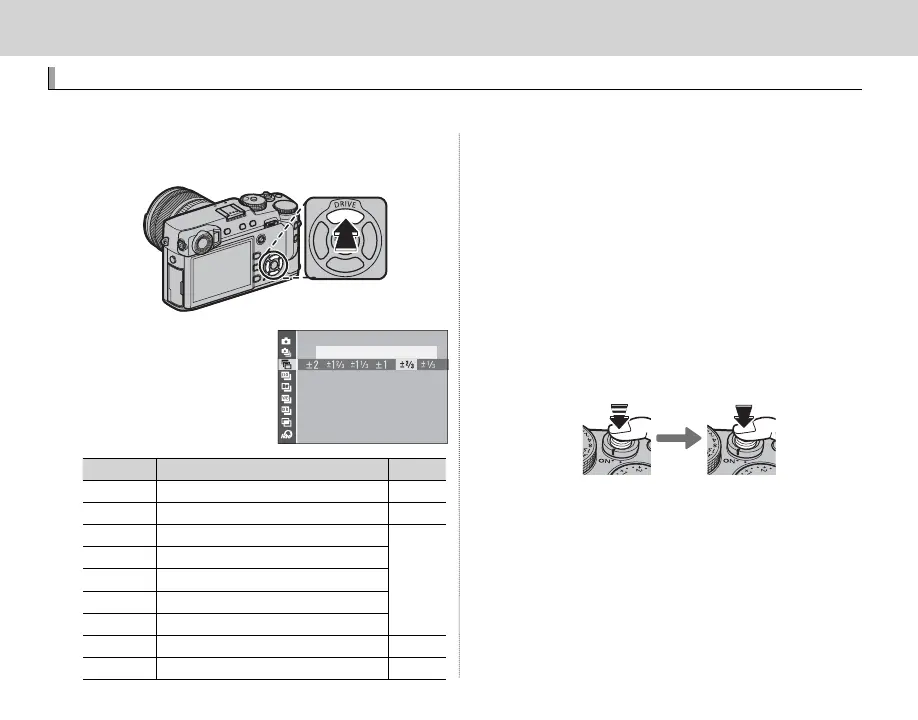
Use the DRIVE (e) button to choose the drive mode.
1
Press the DRIVE (e) button to display drive
mode options.
2
Press the selector up
or down to highlight a
drive mode.
AE BKT
Icon
Drive mode
P
B
STILL IMAGE
—
R
CONTINUOUS
53
O
AE BKT
54
W
ISO BKT
X
FILM SIMULATION BKT
H
WHITE BALANCE BKT
Y
DYNAMIC RANGE BKT
j
MULTIPLE EXPOSURE
56
Y
ADVANCED FILTER
55
3
Press the selector left or right to choose a set-
ting.
• Burst mode (CONTINUOUS): Choose the frame-
advance rate.
• AE/ISO/WB BKT: Choose the bracketing incre-
ment.
• ADVANCED FILTER: Choose a lter e ect.
• Other modes: Proceed to Step 4.
4
Press MENU/OK.
5
Take pictures.
R In burst mode, pictures will be taken while the
shutter button is pressed. Shooting ends when
the button is released, the maximum number of
pictures has been taken, or the memory card is
full.



 To Next Page