29
First Steps
Display Settings
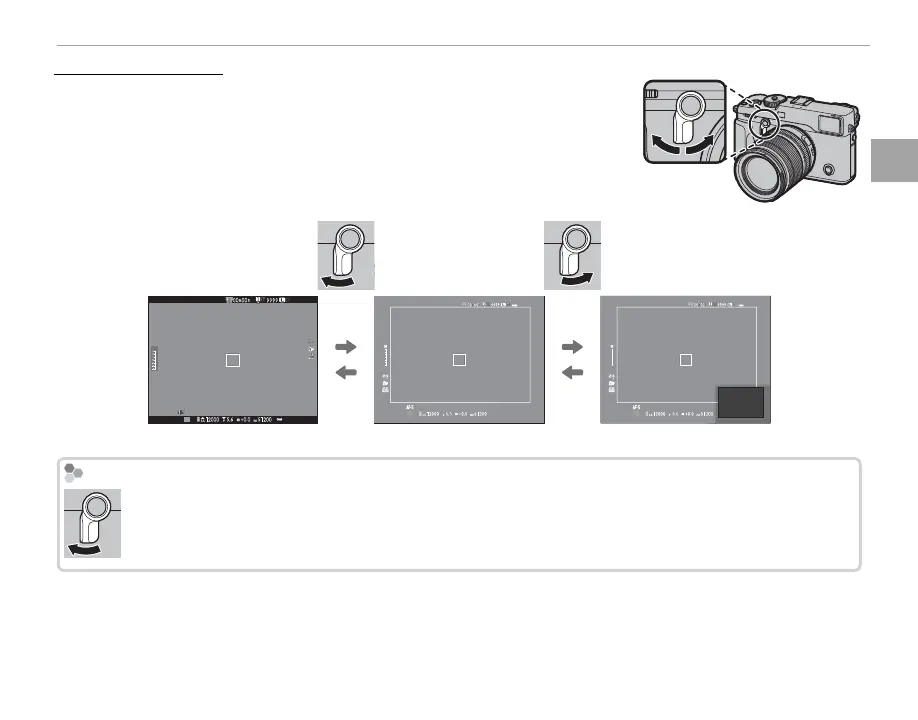
The View nder Selector
Use the view nder selector to switch between the electronic view nder
(EVF), the optical view nder (OVF), and a dual optical view nder/elec-
tronic range nder (ERF) display.
P
3
2
1
0
-1
-2
-3
P
3
2
1
0
-1
-2
-3
P
EVF OVF ERF (dual display)
The OVF Display
Keep the selector pressed up to choose the optical view nder display zoom ratio.



 To Next Page