38
Manual Exposure (M)
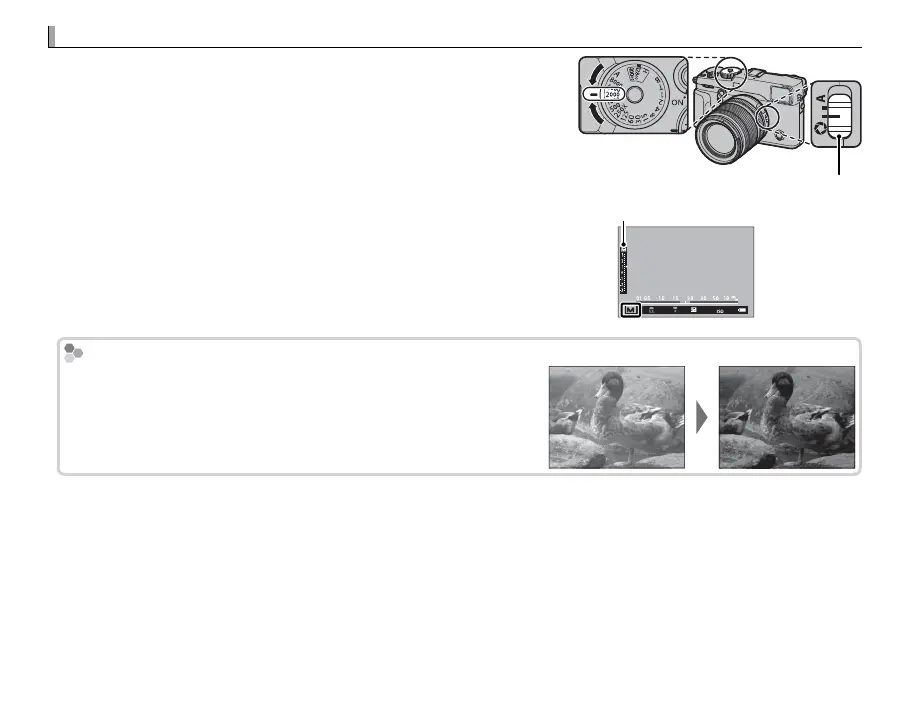
Exposure can be altered from the value suggested by the camera
by setting both shutter speed and aperture to values other than
A (if A is currently selected for shutter speed, press the dial lock
release while rotating the shutter speed dial). M will appear in
the display.
R Shutter speed can also be adjusted in increments of
/
EV by rotating
the front command dial.
Aperture mode switch
Exposure indicator
㹋
Exposure Preview
To preview exposure in the LCD monitor, select an option other
than OFF for D SCREEN SETTING> PREVIEW EXP./WB IN MAN-
UAL MODE ( P 110). Select OFF when using the ash or on other oc-
casions on which exposure may change when the picture is taken.



 To Next Page