37
Basic Photography and Playback
Aperture-Priority AE (A)
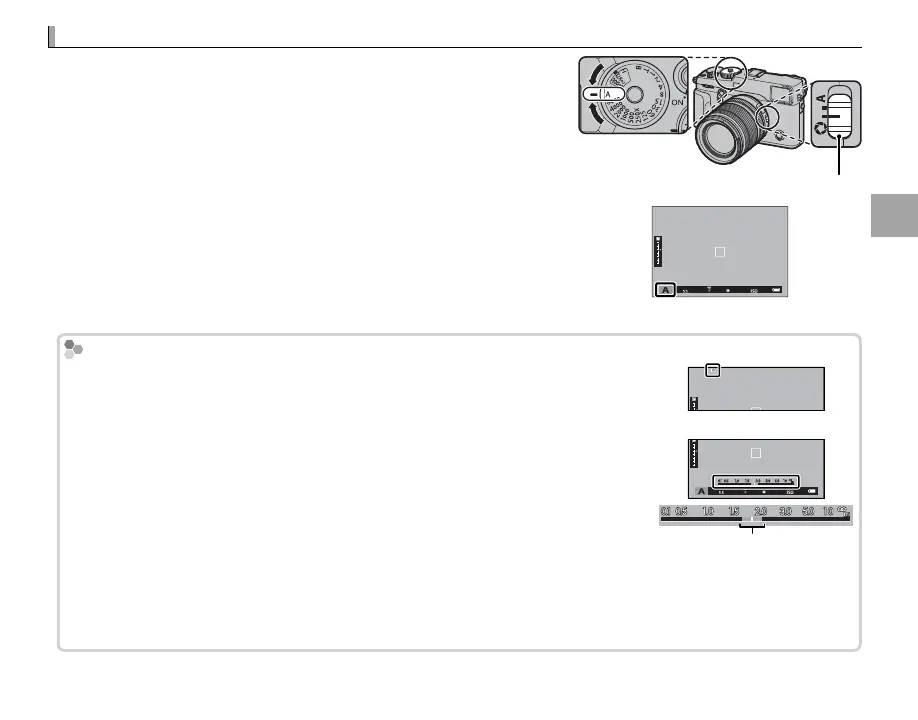
To adjust aperture manually while letting the camera select shut-
ter speed for optimal exposure, rotate the shutter speed dial to A
and adjust aperture as desired. A will appear in the display.
R Aperture can be adjusted even while the shutter button is pressed
halfway.
Q If the correct exposure can not be achieved at the selected aper-
ture, the shutter speed will be displayed in red when the shutter but-
ton is pressed halfway. Adjust aperture until the correct exposure is
achieved.
Q If the subject is outside the metering range of the camera, the shutter
speed display will show “– – –”.
Aperture mode switch
Previewing Depth of Field
Previewing Depth of Field
When L PREVIEW DEPTH OF FIELD is assigned to a function button (P 51),
pressing the button stops aperture down to the selected setting, allowing depth
of eld to be previewed in the display.
Depth of eld can also be previewed using the depth-of- eld indicator in the stan-
dard display (P 33). Press DISP/BACK to cycle through display modes until standard
indicators are displayed.
R Use the G AF/MF SETTING> DEPTH-OF-FIELD SCALE option (P 94) to
choose how depth of eld is displayed. Choose FILM FORMAT BASIS to
help you make practical assessments of depth of eld for pictures that will be
viewed as prints and the like, PIXEL BASIS to help you assess depth of eld for
pictures that will be viewed at high resolutions on computers or other elec-
tronic displays.
Depth of eld



 To Next Page