57
More on Photography and Playback
Exposure Compensation
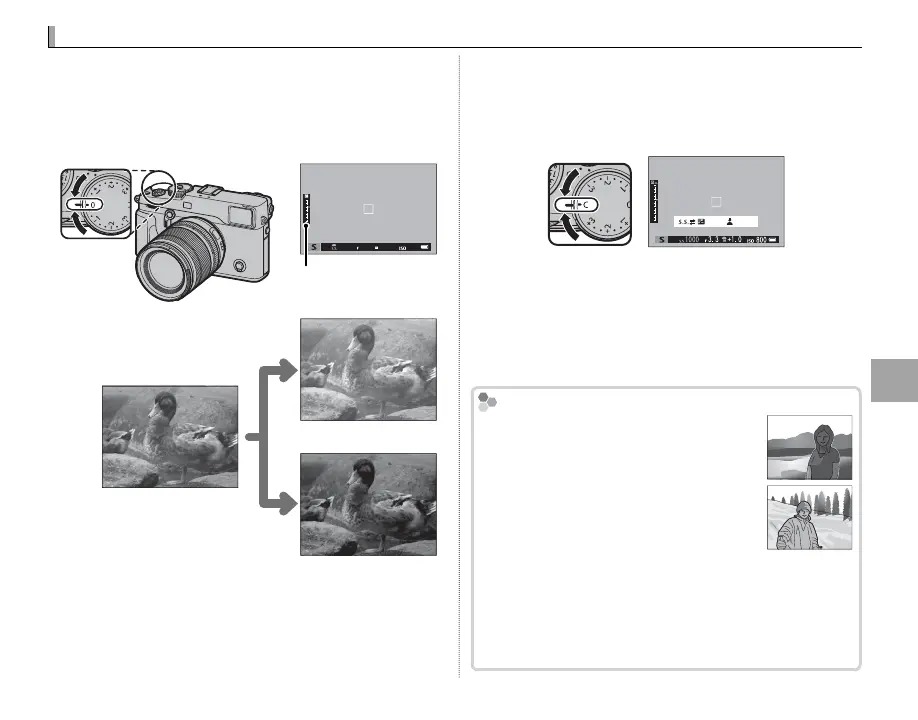
Rotate the exposure compensation dial to adjust
exposure when photographing very bright, very
dark, or high-contrast subjects. The e ect is vis-
ible in the display.
Exposure compensation
indicator
Choose positive values (+) to
increase exposure
Choose negative values (–) to
reduce exposure
Q The amount of compensation available varies with
the shooting mode.
■ C (Custom)
When the exposure compensation dial is rotated
to C, exposure compensation can be adjusted by
rotating the front command dial.
set
R The front command dial can be used to set exposure
compensation to values between −5 and +5 EV.
R The front command dial can be used to set shutter
speed or exposure compensation. Press the dial to
toggle between the two.
Choosing an Exposure Compensation Value
Choosing an Exposure Compensation Value
• Backlit subjects: Choose values from
+
/
EV to +1
/
EV.
• Highly re ective subjects or very bright
scenes (e.g., snow elds): +1 EV
• Scenes that are mostly sky: +1 EV
• Spotlit subjects (particularly if photographed against dark back-
grounds): –
/
EV
• Subjects with low re ectivity (pine trees or dark-colored foliage):
–
/
EV



 To Next Page