42
Viewing Pictures
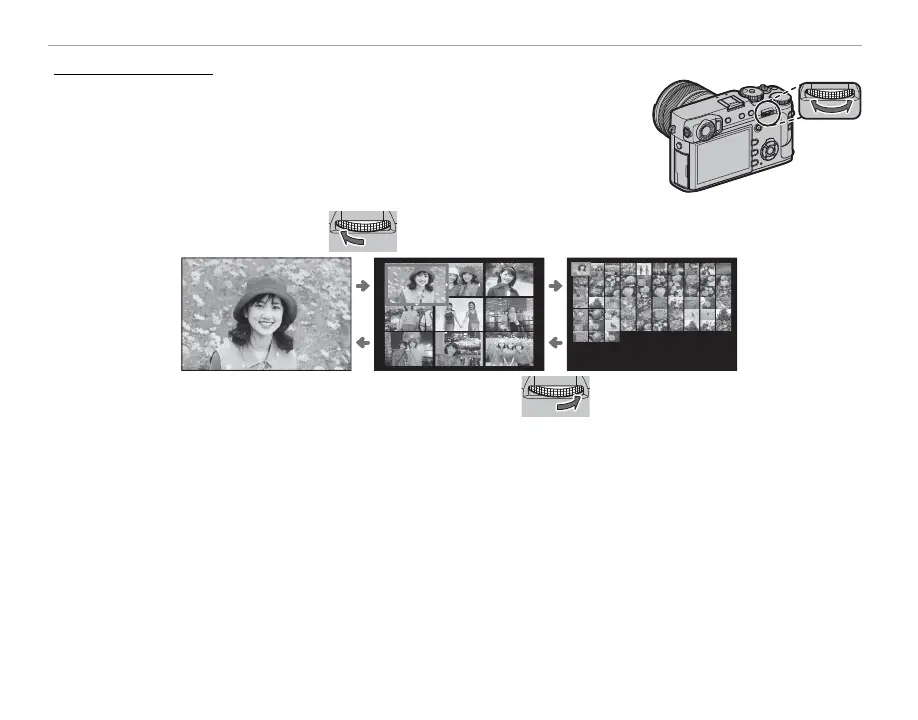
Multi-Frame Playback
To change the number of images displayed, rotate the rear command dial
left when a picture is displayed full frame.
Rotate left to view more images.
100-0001
Rotate right to view fewer images.
Use the selector to highlight images and press MENU/OK to view the highlighted image full frame (to
zoom in on the selected image, rotate the rear command dial right when the picture is displayed full
frame; P 41). In the nine- and hundred-frame displays, press the selector up or down to view more
pictures.



 To Next Page