73
More on Photography and Playback
The Self-Timer
Use the timer for self-portraits or to prevent blur caused by camera shake.
1
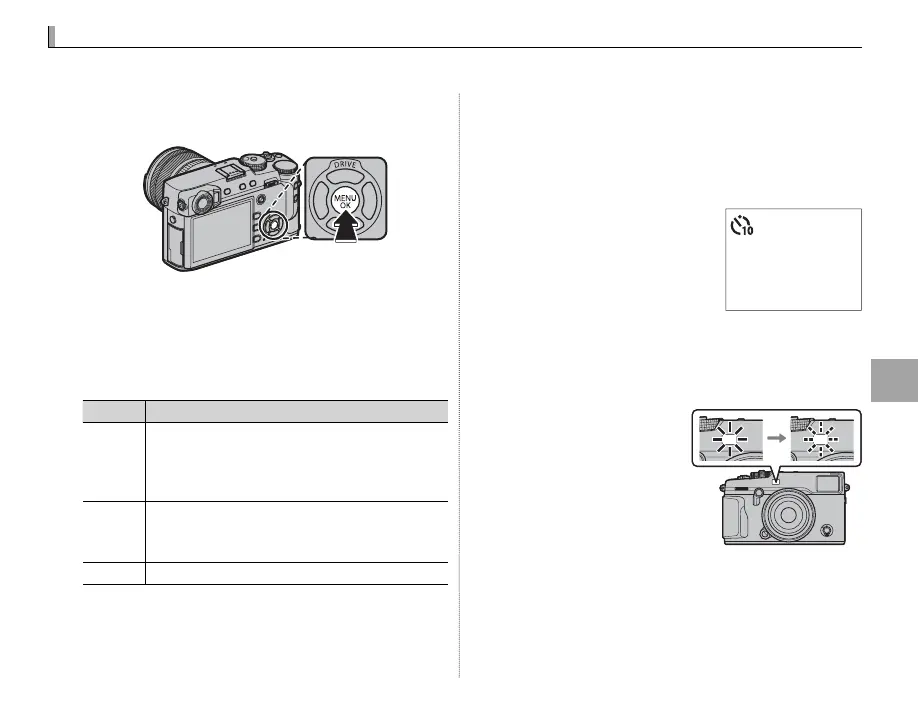
Press MENU/OK in shooting mode to display the
shooting menu.
2
Select the A SHOOTING SETTING tab (P 87),
then highlight SELF-TIMER and press MENU/OK.
3
Press the selector up or down to highlight the
desired option and press MENU/OK to select.
Option
Description
R
2 SEC
The shutter is released two seconds after the
shutter button is pressed. Use to reduce blur
caused by the camera moving when the shut-
ter button is pressed.
S
10 SEC
The shutter is released ten seconds after the
shutter button is pressed. Use for photographs
in which you wish to appear yourself.
OFF Self-timer o .
4
Press the shutter button halfway to focus.
Q Stand behind the camera when using the shut-
ter button. Standing in front of the lens can in-
terfere with focus and exposure.
5
Press the shutter button
the rest of the way down to
start the timer. The display
in the monitor shows the
number of seconds re-
maining until the shutter is released. To stop
the timer before the picture is taken, press
DISP/BACK.
The self-timer lamp on
the front of the camera
will blink immediately
before the picture is
taken. If the two-sec-
ond timer is selected,
the self-timer lamp will blink as the timer
counts down.
R The self-timer turns o automatically when the
camera is turned o .
9



 To Next Page