23
First Steps
Inserting Memory Cards
Using Two Cards
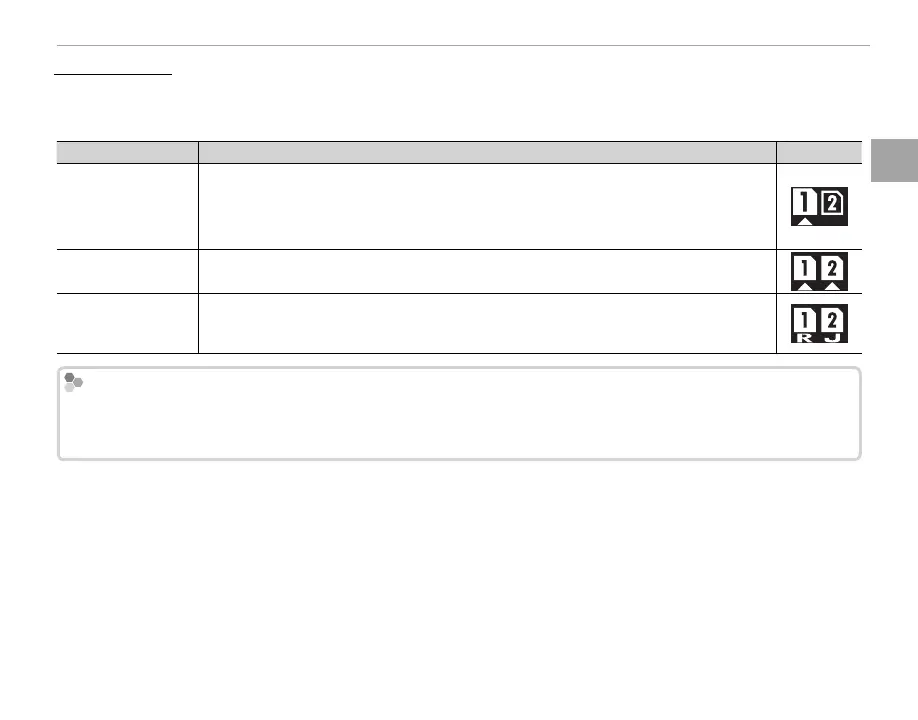
At default settings, the card in the second slot is used only if the card in the rst slot is full (SEQUENTIAL).
This can be changed using D SAVE DATA SETTING> CARD SLOT SETTING (STILL IMAGE) (P 116).
Option
Description
Display
SEQUENTIAL
(default)
The card in the second slot is used only when the card in the rst slot is full.
R If the second slot is selected for D SAVE DATA SETTING> SWITCH SLOT (SEQUEN-
TIAL), recording will start on the card in the second slot and switch to the rst slot when
the card in the second slot is full.
BACKUP Each picture is recorded twice, once to each card.
RAW/JPEG
As for
SEQUENTIAL, except that the RAW copy of pictures taken with FINE + RAW or NOR-
MAL + RAW selected for H IMAGE QUALITY SETTING> IMAGE QUALITY will be saved to
the card in the rst slot and the JPEG copy to the card in the second slot.
Movies
Regardless of the option selected for CARD SLOT SETTING (STILL IMAGE), movies will be recorded to the card
in the rst slot; if SEQUENTIAL is selected, movies will be recorded to the card in the rst slot even after record-
ing has moved on to the card in the second slot.



 To Next Page