25
First Steps
Turning the Camera on and O
Turning the Camera on and O
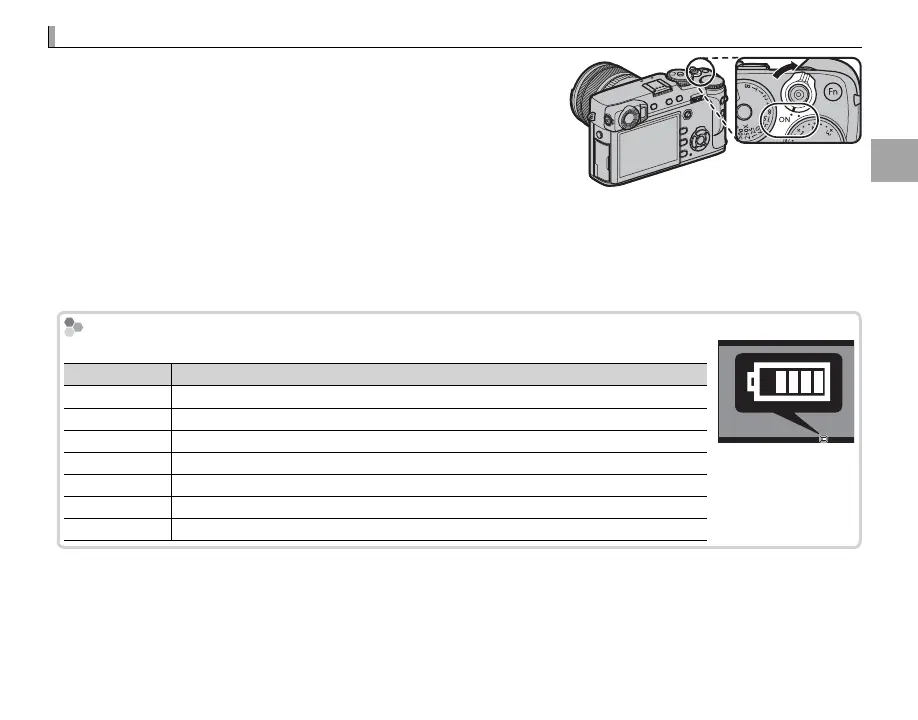
Rotate the ON/OFF switch to ON to turn the camera on. Select OFF
to turn the camera o .
R Press the a button to start playback. Press the shutter button half-
way to return to shooting mode.
R The camera will turn o automatically if no operations are per-
formed for the length of time selected for D POWER MANAGE-
MENT> AUTO POWER OFF (P 114). To reactivate the camera after it has turned o automatically, press the
shutter button halfway or turn the ON/OFF switch to OFF and then back to ON.
Q Fingerprints and other marks on the lens or view nder can a ect pictures or the view through the view nder.
Keep the lens and view nder clean.
Battery Level
After turning the camera on, check the battery level in the display.
Indicator
Description
e
Battery partially discharged.
f
Battery about 80% full.
g
Battery about 60% full.
h
Battery about 40% full.
i
Battery about 20% full.
i (red)
Low battery. Charge as soon as possible.
j (blinks red)
Battery exhausted. Turn camera o and recharge battery



 To Next Page