122
Connections
Wireless Transfer
Access wireless networks and connect to computers, smartphones, or tablets. For downloads and
other information, visit http://fujifilm-dsc.com/wifi/.
Wireless Connections: Smartphones
Wireless Connections: Smartphones
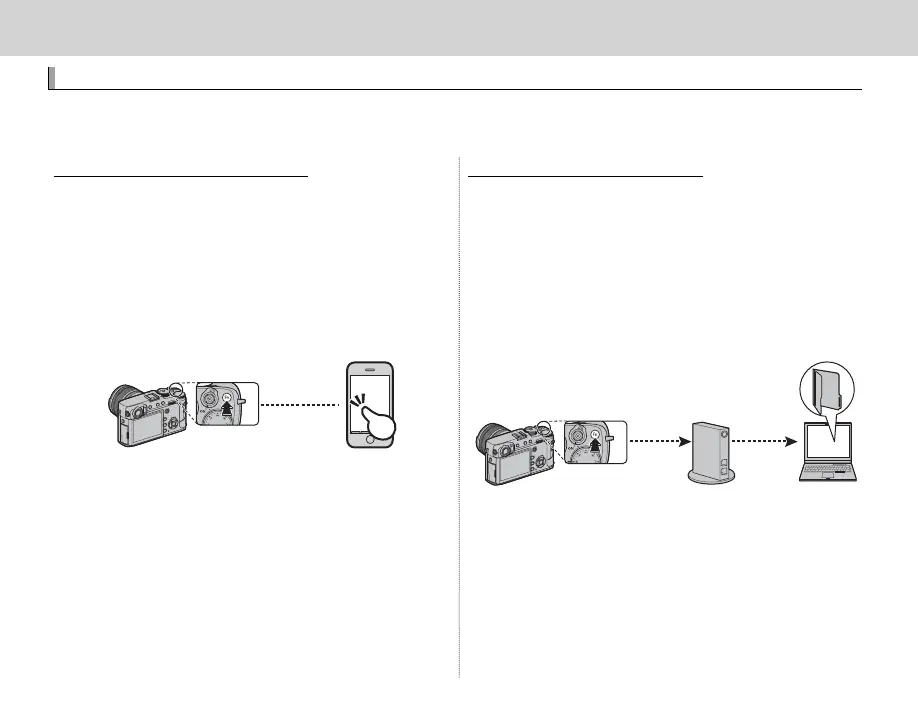
Install the “FUJIFILM Camera Remote” app on your
smartphone to browse the images on the cam-
era, download selected images, control the cam-
era remotely, or copy location data to the camera.
To connect to the smartphone, set the camera
to playback mode and press the function button
(Fn1)
.
R You can also connect using A SHOOTING
SETTING/C PLAY BACK MENU> WIRELESS COM-
MUNICATION (P 97, 104).
Wireless Connections: Computers
Wireless Connections: Computers
Once you have installed the “FUJIFILM PC AutoSave”
application and con gured your computer as a
destination for the images copied from the cam-
era, you can upload pictures from the camera using
C PLAY BACK MENU> PC AUTO SAVE (P 105) or
by pressing and holding the function button (Fn1)
in playback mode.



 To Next Page