6
Parts of the Camera
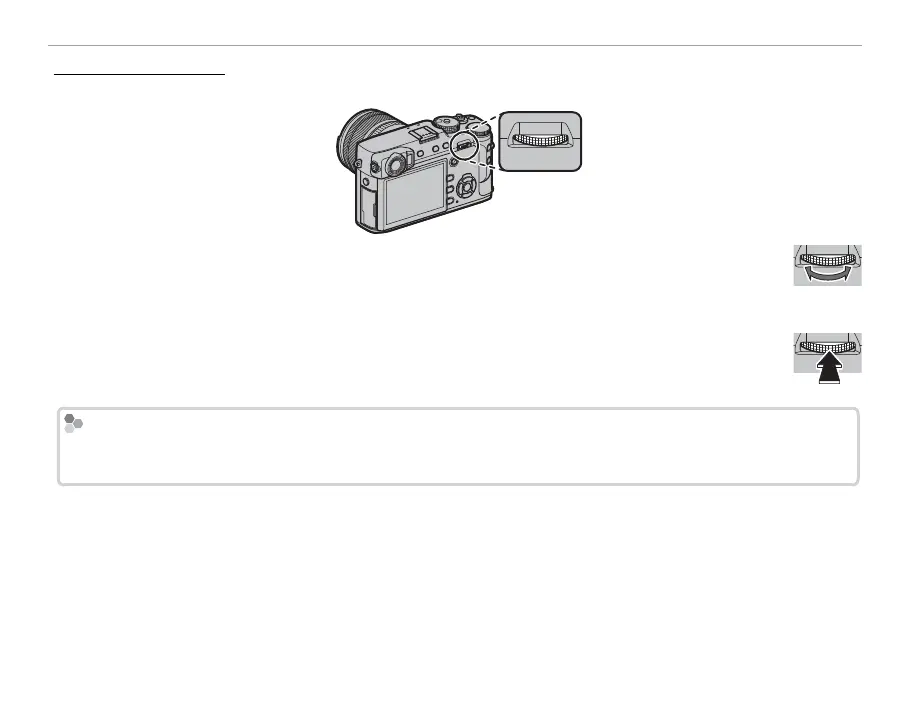
The Rear Command Dial
The rear command dial is used as described below.
Rotate the dial to choose the desired combination of shutter speed and aperture (program
shift; P 35), adjust aperture (P 14, 37, 38), adjust settings in the quick menu (P 48), choose
the size of the focus frame (P 68, 69), or zoom in or out in full-frame or thumbnail playback (P 41, 42).
Press the center of the dial to zoom in on the selected focus area (P64) or in playback mode
to zoom in on the active focus point (P 40). In manual focus mode, you can choose a focus
display by pressing and holding the center of the dial (P 65).
Formatting Memory Cards
To format memory cards, press the center of the command dial while pressing and holding the b button. The
FORMAT menu will be displayed; select a slot and format the card as described on page 107.



 To Next Page