111
Menus
The Setup Menu
PREVIEW PIC. EFFECT
Choose ON to preview the e ects of lm simulation, white balance, and other settings in the monitor. Choose OFF to make
shadows in low-contrast, back-lit scenes and other hard-to-see subjects more visible.
R If OFF is selected, the e ects of camera settings will not be visible in the monitor and colors and tone will di er from those
in the nal picture. The display will however be adjusted to show the e ects of advanced lters and of monochrome and
sepia settings.
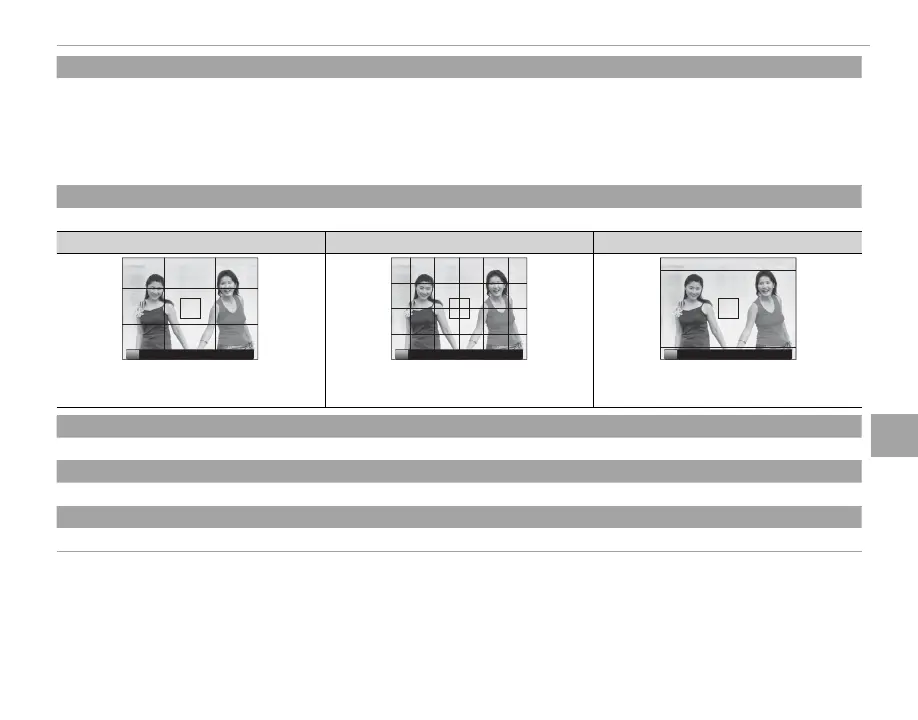
FRAMING GUIDELINE
Choose the type of framing grid available in shooting mode.
F
GRID 9
G
GRID 24
H
HD FRAMING
P P P
For “rule of thirds” composition. A six-by-four grid. Frame HD pictures in the crop shown by the
lines at the top and bottom of the display.
AUTOROTATE PB
Choose ON to automatically rotate “tall” (portrait-orientation) pictures during playback.
FOCUS SCALE UNITS
Choose the units used for the focus distance indicator (P 64).
DISP. CUSTOM SETTING
Choose items for the standard display (P 33).



 To Next Page