Removing Shadows/Streaks that Appear around Edges of Images
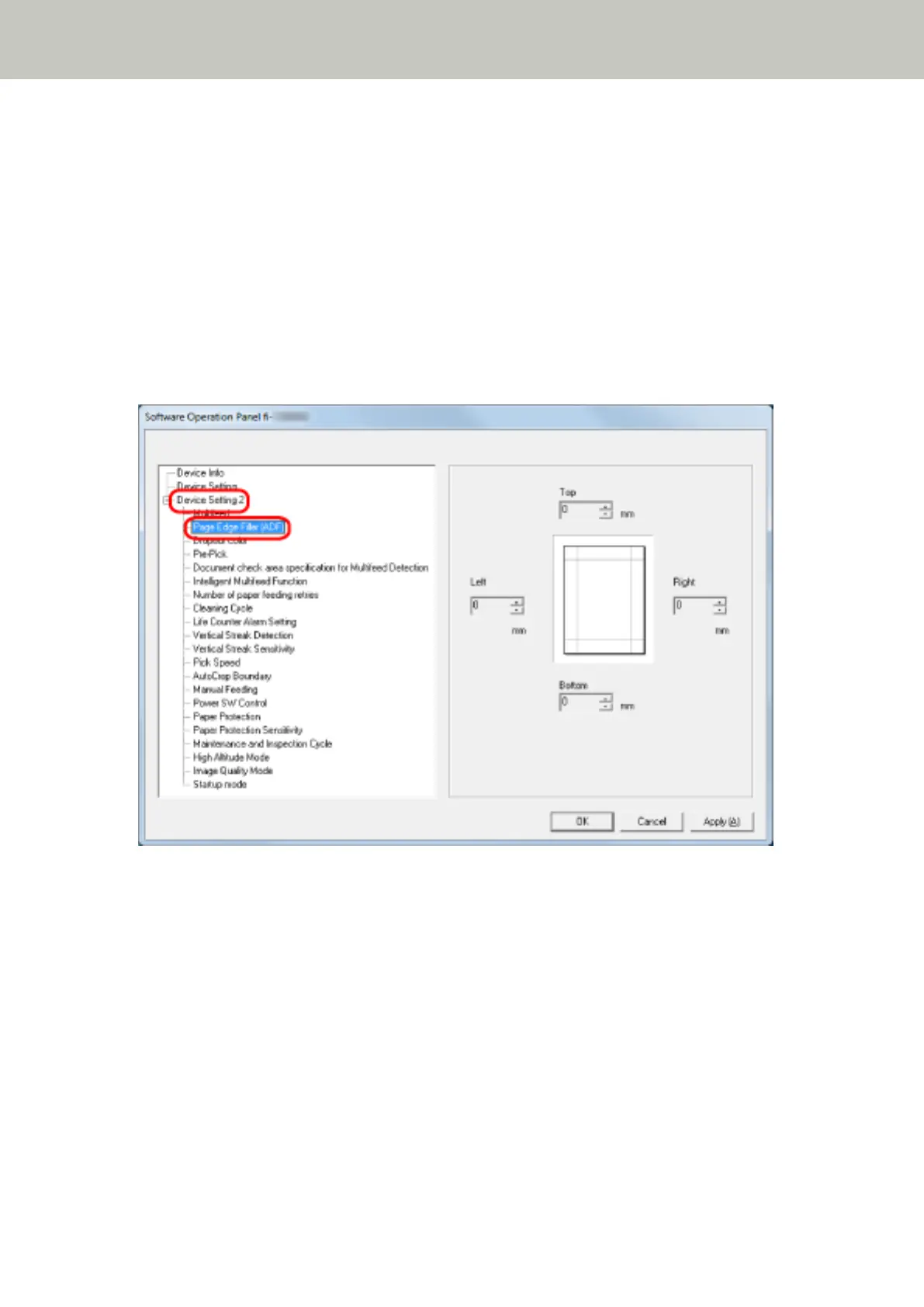
[Page Edge Filler (ADF)]
Configure the settings to fill in the shadow or streaks around the edge of the scanned image.
Depending on the condition of the documents that you scan, the shadow of a document may appear as black
streaks on the edges of the scanned image.
In this case, remove the black streaks by filling in the edges of the scanned image.
1 Start up the Software Operation Panel.
For details, refer to Starting Up the Software Operation Panel (page 241).
2 From the list on the left, select [Device Setting 2] → [Page Edge Filler (ADF)].
3 Specify the width of each margin (Top/Bottom/Right/Left) to fill in.
The factory default setting is "0".
Scanner Settings (Software Operation Panel)
268



 To Next Page
 Loading...







