5. DESTINATION
5-6
5.5 How to Calculate the Trip Distance
You can calculate the trip distance as follows:
1. Press the MENU/ESC key to open the main menu.
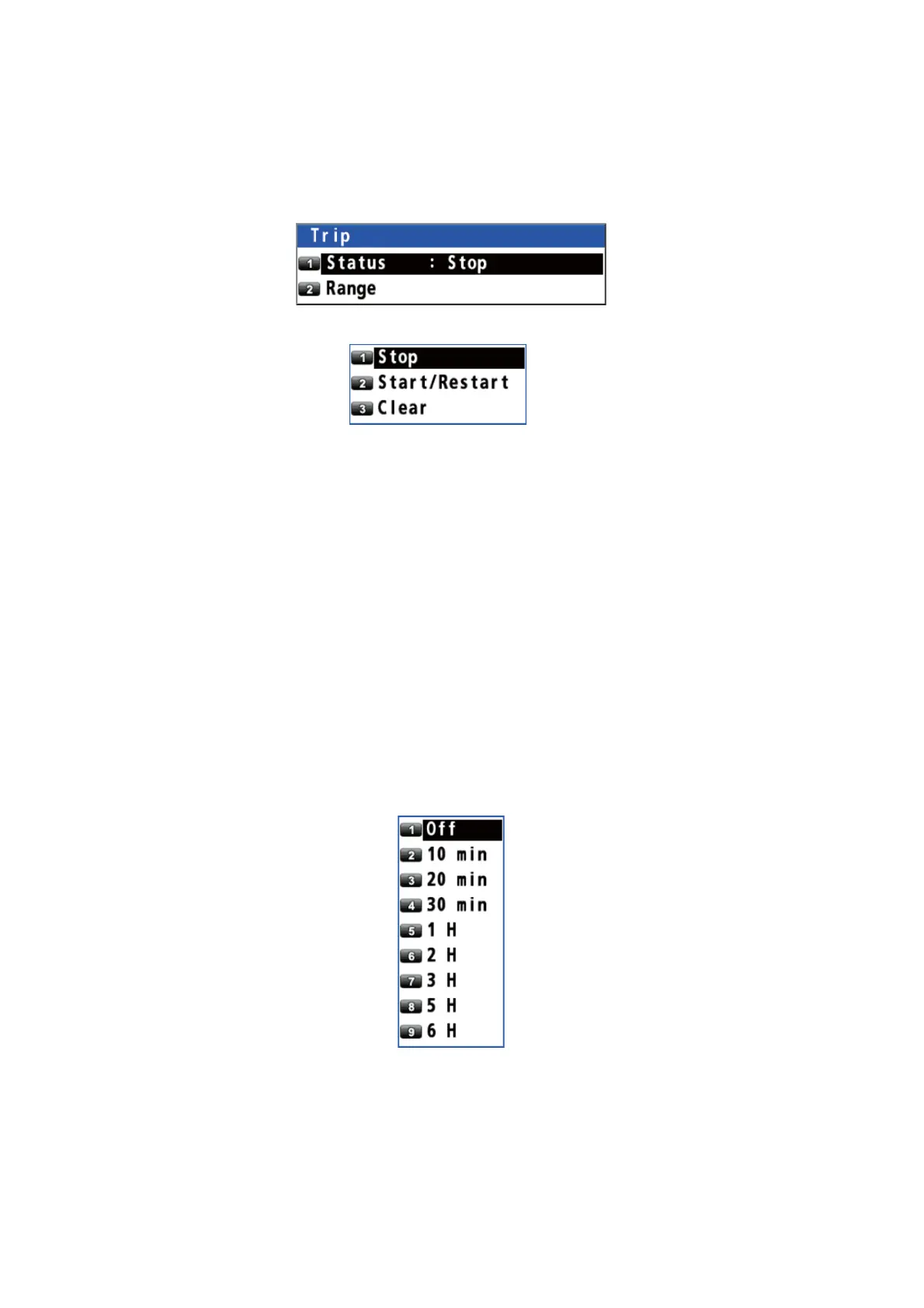
2. Select [4 Notice Setting] then [4 Trip].
3. Select [1 Status].
4. Select [1 Stop], [2 Start/Restart] or [3 Clear].
[Stop]: Stops the trip distance calculation.
[Start/Restart]*: Starts or restarts the trip distance calculation.
[Clear]: Resets the trip distance.
5. Press the MENU/ESC key to close the main menu.
*: You can receive a notice, when your ship has travelled a preset distance. See
section 6.5 for details.
5.6 How to Set the Drift
You can set the time for which the drift value is averaged. The longer the time setting,
the more stable the drift value.
1. Press the MENU/ESC key to open the main menu.
2. Select [1 Display] then [8 Set/Drift AVR].
3. Select an option.
[Off]: Displays the latest drift value.
Others: Displays the average drift value per the setting time.
4. Press the MENU/ESC key to close the main menu.



 To Next Page
 Loading...










