4. ROUTES
4-4
4. Use the cursorpad to place the cursor on the location for the next waypoint then
press the NU/CU ENT key. Repeat this step to enter all waypoints.
5. At the last waypoint, press the ROUTE key to complete the route.
4.1.3 How to create a new route from the route list
With the cursorpad
1. Press the MENU/ESC key to open the main menu.
2. Select [3 Navigation] then [2 Route Registration].
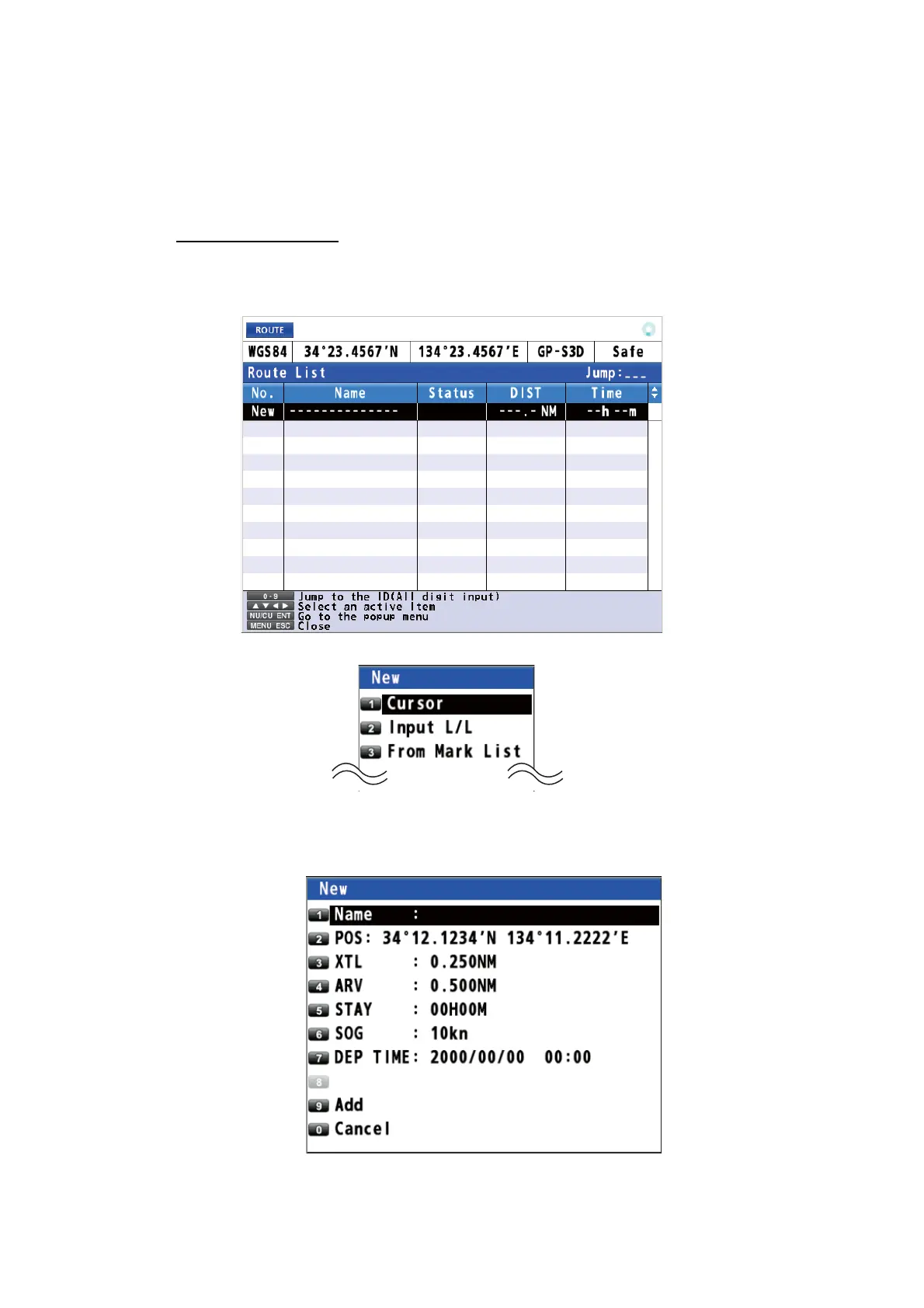
3. With the cursor on the [New] line, press the NU/CU ENT key.
4. Select [1 Cursor].
5. Use the cursorpad to select the position for the first waypoint.
6. Press the NU/CU ENT key.
The values set in paragraph 4.1.1 are displayed at the menu items [3 XTL] to [7
DEP TIME]. You can change these values for each waypoint if required.



 To Next Page
 Loading...










