10. MAINTENANCE, TROUBLESHOOTING
10-4
10.5 Self Test
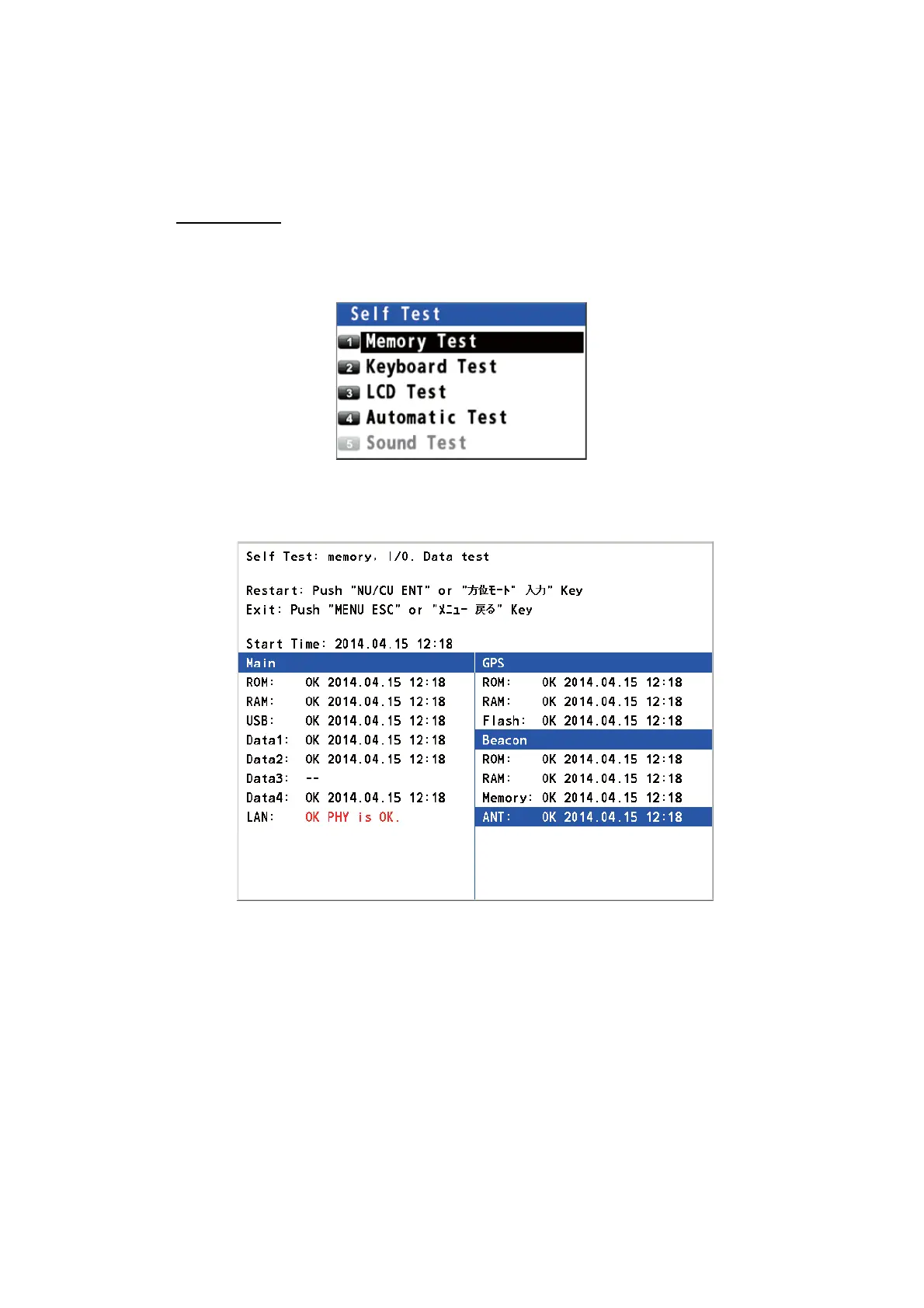
The self test checks the ROM, RAM, input/output data, GPS core, Beacon core, key-
board and LCD performance. The user can do the tests to help the service technician
in troubleshooting.
Memory test
1. Press the MENU/ESC key to open the main menu.
2. Select [6 Maintenance] then [2 Self Test].
3. Select [1 Memory Test]. The test results are displayed as "OK", "NG" (No Good)
or "– –". If any NG is displayed, contact your dealer. The test result of DATA3,
checked using a dedicated connector at the factory, is normally displayed as "--".
4. Press the MENU/ESC key to close the memory test window.



 To Next Page
 Loading...










