9. OTHER FUNCTIONS
9-16
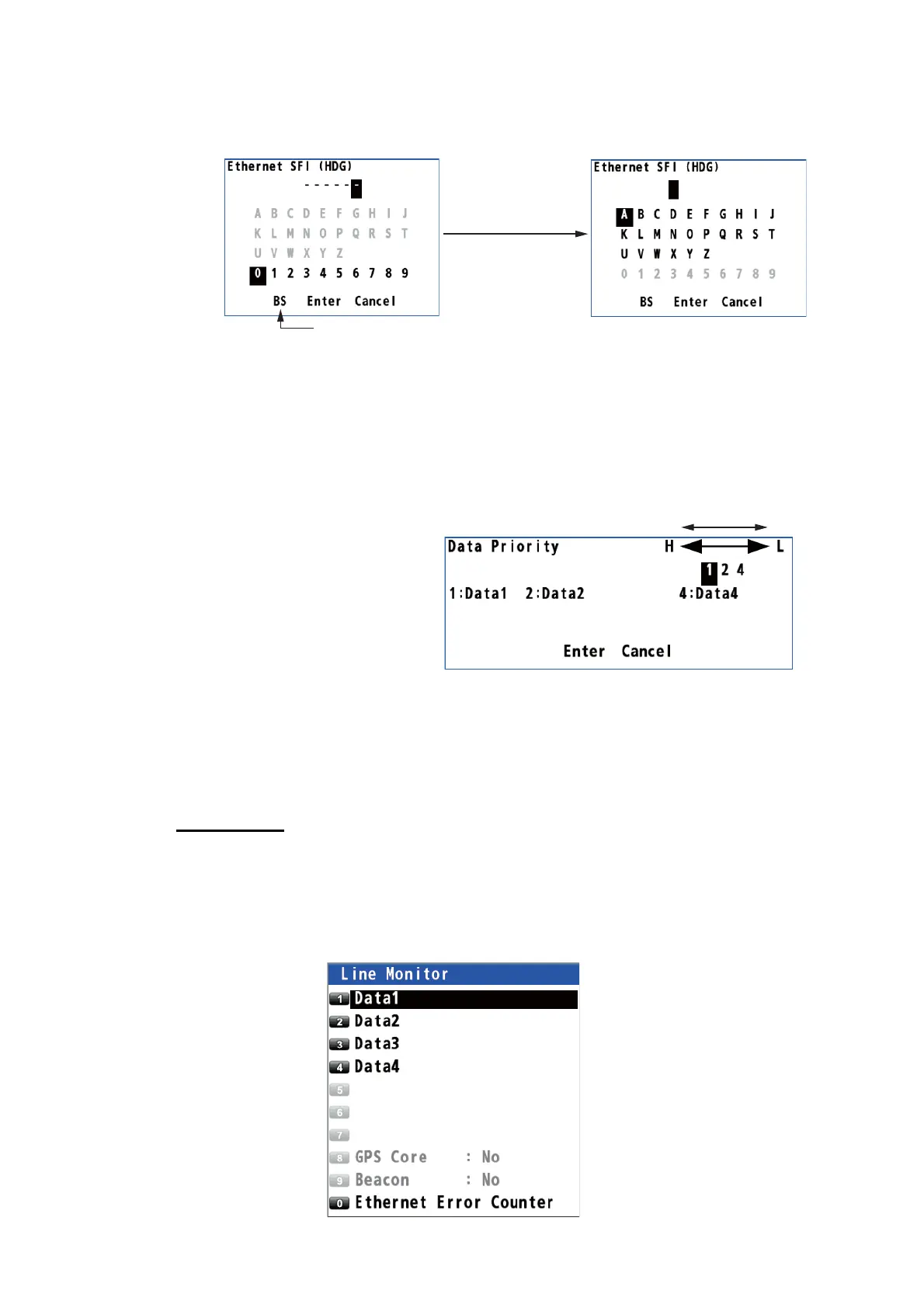
5. When selecting [5 Ethernet], do the following:
1) Press the ACK/DELETE key to move the cursor to the leftmost of the input po-
sition.
2) Enter the Ethernet SFI with the cursorpad and the numeric keys (combination
of two alphabets and four numerals). SFI (System Function ID) is an identifi-
cation code used by the system.
3) Move the cursor to [Enter] then press the NU/CU ENT key. Go to step 9.
Note: Set the SFI to eliminate overlap with other ones.
6. Select [1 HDG].
7. Select [7 User Priority].
8. Enter the priority for heading
data by data number. For ex-
ample, to set the priority order
as Data1, Data2, Data4, enter
1, 2, 4.
9. Set the input data for [2 STW]
(speed through water),
[3 SST] (sea surface temperature) and [4 DPT] (water depth) as well.
10. Press the MENU/ESC key to close the main menu.
9.6.4 Line monitor log
Line monitor
The data output from the data ports (Data1 - Data4) can be monitored, and the data
can be saved to a USB flash memory.
1. Press the MENU/ESC key to open the main menu.
2. Select [7 I/O] then [7 Line Monitor].
Backspace
Press the
ACK/DELETE key.
High Low



 To Next Page
 Loading...










