8. ALERTS
8-3
Alert category
For details, see page AP-8.
8.2 Alert List
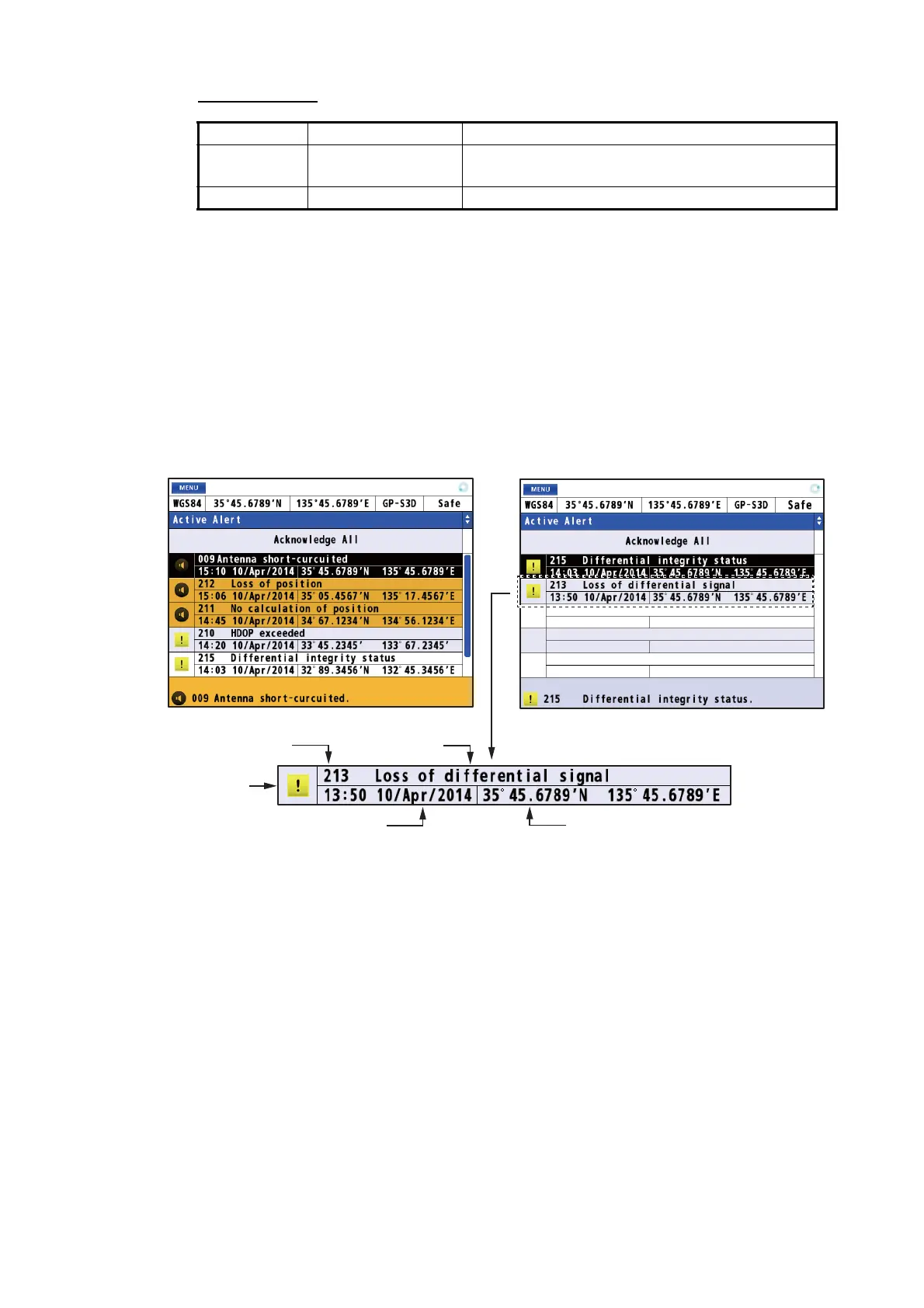
The alert list shows all currently violated alerts and state of acknowledgment. All un-
acknowledged alerts are shown, even those whose reason for alert has passed (ex-
cept for a caution).
1. Press the MENU/ESC key to open the main menu.
2. Select [5 Alert] then [1 Active Alert] to show the alert list. Unacknowledged alerts
flash (except for a caution).
3. Press the MENU/ESC key to close the alert list.
Type Icon Visual indication
Warning Circle • Acknowledged: Yellow-orange
• Not acknowledged: Yellow-orange, flashing
Caution Square Yellow
Not acknowledged
Acknowleded
Alert icon
Alert number
Alert name
Date and time of occurrence
Position of occurrence



 To Next Page
 Loading...










