6. NOTICES
6-4
4. Select [2 In] or [3 Out]. The ship speed notice icon ( ) appears in gray at the
top right-hand corner of the display.
[In]: The notice alerts you when your ship’s speed is within the range set.
[Out]: The notice alerts you when your ship’s speed is lower or higher than the
range set.
5. Select [2 Speed].
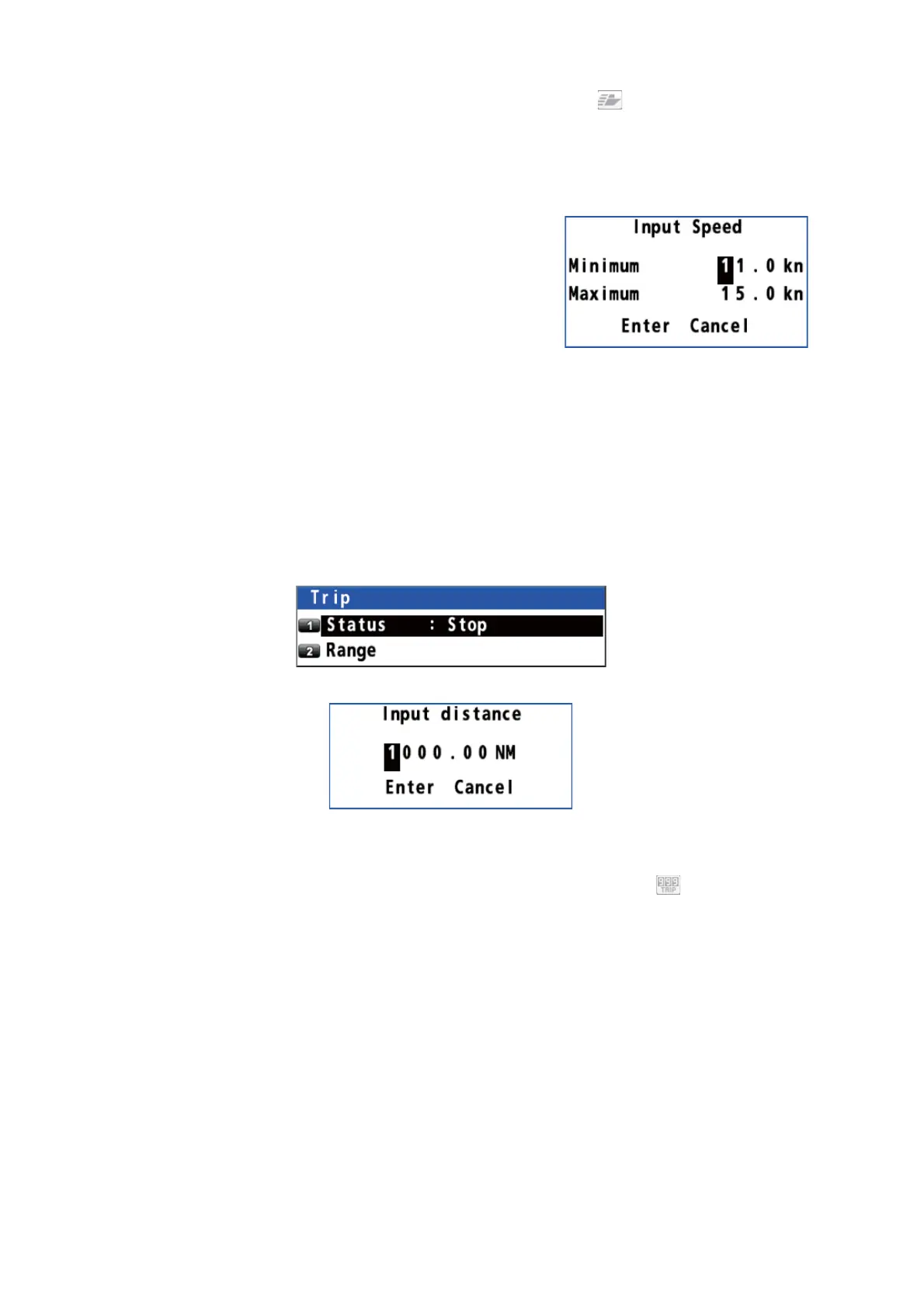
6. Enter the minimum and maximum speeds
with the numeric keys.
7. Move the cursor to [Enter] then press the NU/
CU ENT key.
8. Press the MENU/ESC key to close the main
menu.
To turn off the ship speed notice, select [1 Off] at step 4.
6.5 Trip Notice
The trip notice alerts you when your ship’s trip has travelled the distance specified.
1. Press the MENU/ESC key to open the main menu.
2. Select [4 Notice Setting] then [4 Trip].
3. Select [2 Range].
4. Enter the trip distance with the numeric keys.
5. Move the cursor to [Enter] then press the NU/CU ENT key.
6. Select [1 Status] then [2 Start/Restart]. The trip notice icon ( ) appears in gray
at the top right-hand corner of the display.
7. Press the MENU/ESC key to close the main menu.
To turn off the trip notice, select [1 Stop] at step 6.



 To Next Page
 Loading...










