9. OTHER FUNCTIONS
9-9
9.4 Beacon/SBAS Menu
This menu sets the beacon and SBAS.
9.4.1 How to select the differential corrections to use
1. Press the MENU/ESC key to open the main menu.
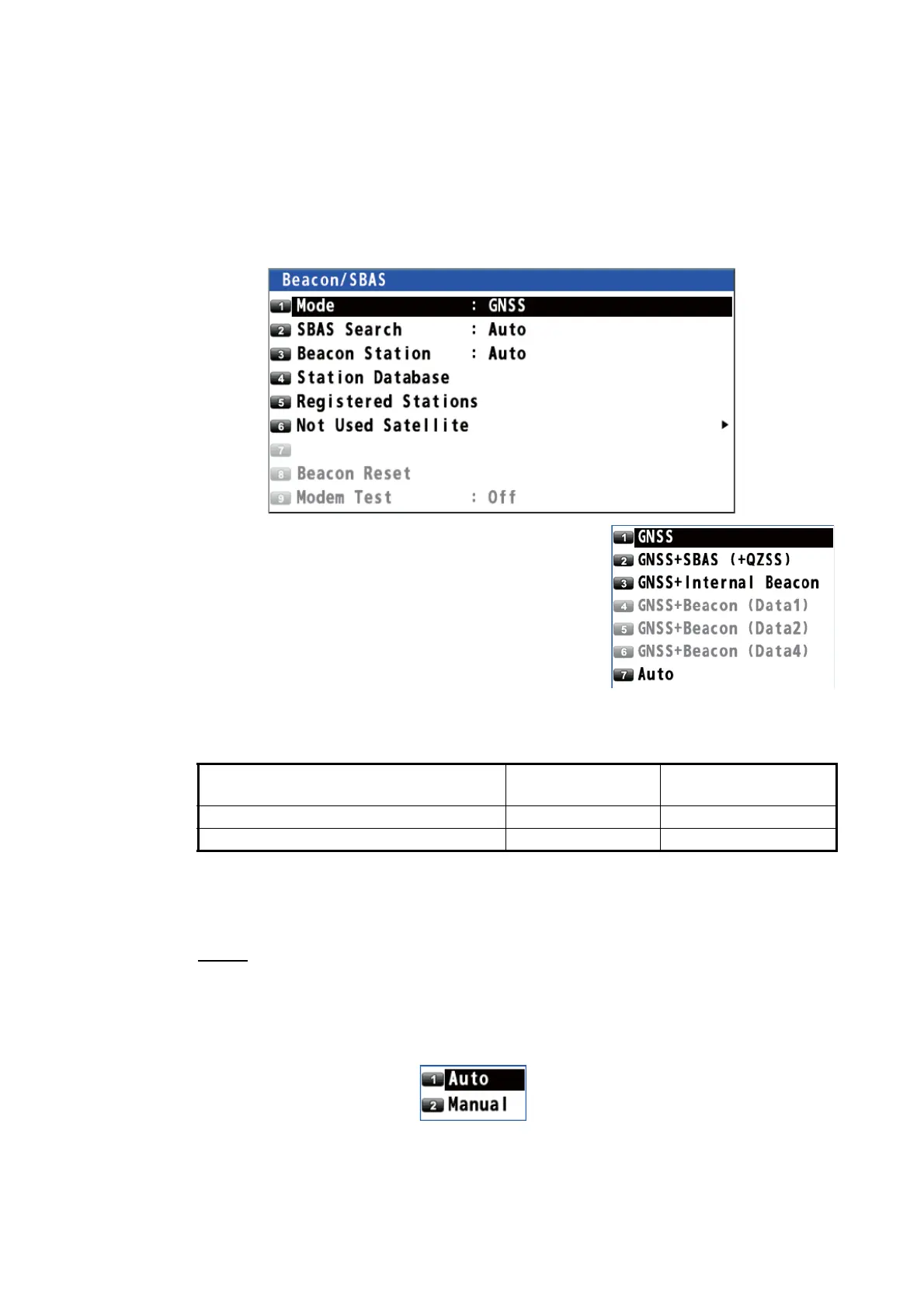
2. Select [8 System Setting] then [6 Beacon/SBAS].
3. Select [1 Mode].
4. Select an option.
[GNSS]: Uses neither beacon nor SBAS for posi-
tioning.
[GNSS+SBAS (+QZSS)]: Uses SBAS and QZSS.
[GNSS+Internal Beacon]*: Uses internal beacon.
[GNSS+Beacon (Data1, Data2 or Data4)]*: Uses
external beacon.
[Auto]: Switches mode among differential (bea-
con), SBAS and no use. The priority is Differential (beacon) > SBAS > No use.
* : See the table below.
5. Press the MENU/ESC key to close the main menu.
9.4.2 How to set SBAS and beacon
SBAS
1. Press the MENU/ESC key to open the main menu.
2. Select [8 System Setting] then [6 Beacon/SBAS].
3. Select [2 SBAS Search].
4. Select [1 Auto] or [2 Manual].
[Auto]: Automatically selects the satellite on the highest elevation among available
satellites. Go to step 7.
[Manual]: Selects the satellite manually. Go to step 5.
Menu item
With internal
beacon receiver
Without internal
beacon receiver
GNSS+Internal Beacon Available Not available
GNSS+Beacon (Data1, Data2 or Data4) Not available Available



 To Next Page
 Loading...










