52 enVision Owner’s Guide
7.
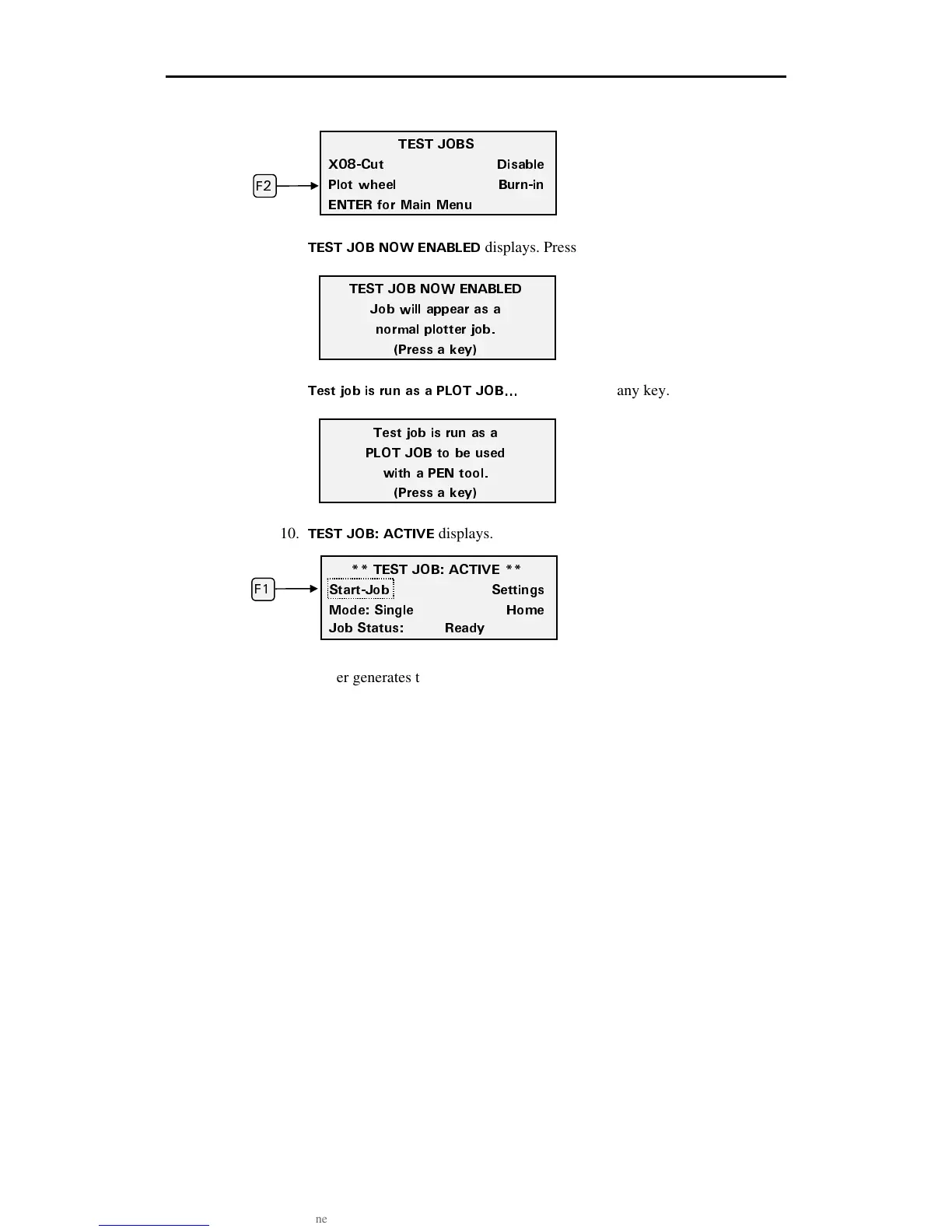
Press F2, Plot wheel.
8.
6'56 ,1$ 019 '0#$.'&
displays. Press any key.
9.
6GUV LQD KU TWP CU C 2.16 ,1$
Q
displays. Press any key.
10.
6'56 ,1$ #%6+8'
displays. Press F1, Start-Job.
The plotter generates the Wagon Wheel test plot. If the plotter is in Single mode,
as above, it will stop when one test pattern has been plotted. If it is in Multi
mode, it will continue to plot one test pattern after another until you press
CANCEL to stop it or switch back to single. Compare the test plot to the
illustration on the previous page.
Perform the following steps to disable the test job.
1. From the ** Test Job: Active ** screen, Press F3 while holding down the
ENTER key for the Operational Setup menu.
2. Press F2, TEST.
3. Press F1, TEST JOBS.
6'56 ,1$ #%6+8'
5VCTV,QD 5GVVKPIU
/QFG 5KPING *QOG
,QD 5VCVWU 4GCF[
(
6'56 ,1$ 019 '0#$.'&
,QD YKNN CRRGCT CU C
PQTOCN RNQVVGT LQD
2TGUU C MG
6GUV LQD KU TWP CU C
2.16 ,1$ VQ DG WUGF
YKVJ C 2'0 VQQN
2TGUU C MG
6'56 ,1$5
:%WV &KUCDNG
2NQV YJGGN $WTPKP
'06'4 HQT /CKP /GPW
(



 To Next Page