11
Vapodest 50s carousel
4 Description of the equipment
4.1.1. Description Front view Vap 50s carousel
1 Adjustablefeed(Important,xadjustablefeed),Bestellnr.1001891
The adjustable feet have to be screwed in completely in order to ensure ab-
solute stability. Also use included rubber caps.
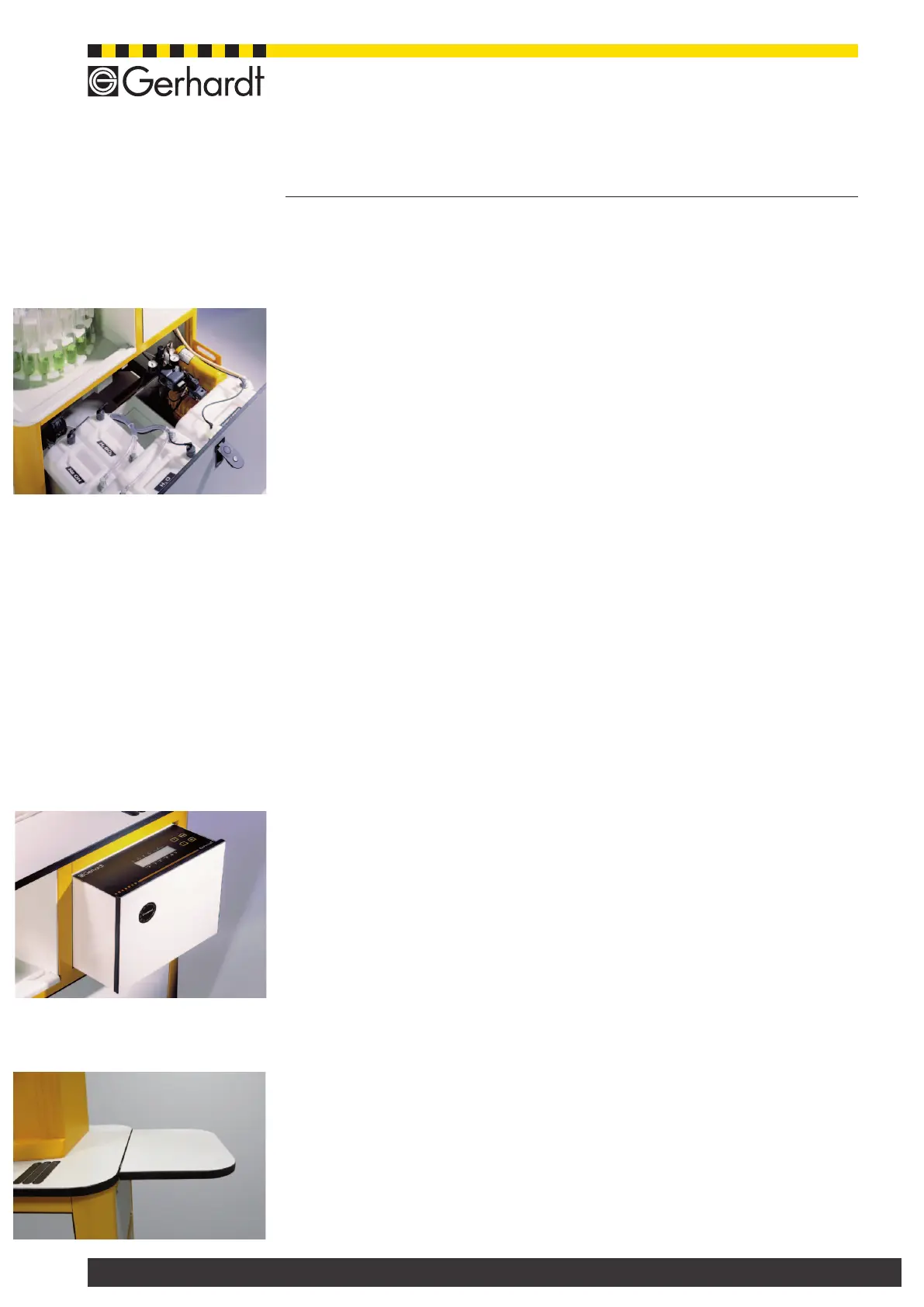
2 Drawer with set of tanks and compressor
Please open the drawer in order to ll the tanks. See Chapter 5.5. for the de-
scription of how to ll the tanks. The instrument should not be operated with
an open drawer!
- H
2
O-tank 20 l, NaOH-tank 10 l, H
3
BO
3
-tank 10 l,
Sample Waste tank 20 l
- Compressor JunAir
Important: after emptying the sample waste tank you should make absolutely
sure to have the plug for the level sensor put in correctly. Otherwise, the soft-
ware cannot check the level in the tank; an error message will be displayed.
3 Hinged handle (lockable)
To be able to open the drawer the button of the hinged handle has to be pushed
in so that the handle will fold down. To close the drawer the handle has to be
pushed inwards again.
4 Carousel- also see Chapter 10.1.
The carousel can take the original Gerhardt sample tubes. Depending on the
desired conguration the carousel can take the following sample tubes:
- Carousel 20-place, 20 x 250 ml
- Carousel 16- place, 16 x 400 ml (KDD- or BS-400)
- Carousel 12- place, 12 x 800 ml
5 Carousel protection hood with handle
To change the carousel or clean it, gently lift the protection hood and pull
it out sideways (also see chapter 10.2.1.)
6 Loadingap
Open the loading ap for loading and unloading of the carousel. The instrument
cannot be operated with an open loading ap.
7 Turn-lock fastener for carousel
To lift off the carousel, unscrew the knob; after inserting the carousel the turn-
lock fastener has to be screwed on tight again.
8 Upper Part Distillation System
For further description of the Distillation System please see Chapter 4.3. "Front
view Vapodest upper part".
9 Service Drawer
For loading and unloading of the carousel the switch has to be touched gently,
the carousel will then move to the next loading position. Should the switch be
hit longer so that a signal is heard and the service drawer opens automatically
(see Chapter 13).
10 Sensor Switch for Carousel, maintenance-free
Switch with dual function
ZIn order to load or un-load the carousel, press it shortly.
If you want to open the service drawer, press the switch for a longer period
(ca. 5 sec)
Side extension
The side extension is included in the shipment and you can easily attach it on
the side. You can e.g. use it to put your laptop there. In order to attach the side
extension please use the enclosed Allen key.
Fig. 4.1.1. a
Drawer with tanks open
Fig. 4.1.1. b
Service drawer open
Fig. 4.1.1. c
Side extension



 To Next Page