58
Vapodest 50s carousel
In order to nd specic data in a column of the table, observe the following pro-
cedure:
- Activate one line in the table column, where the wanted data are located.
- With the right mouse key click on the table-card and select "Find" from the
menu or you press STRG+F. The window with the search parameter opens
up.
- Enter the search term and press key "Find" or ALT+F.
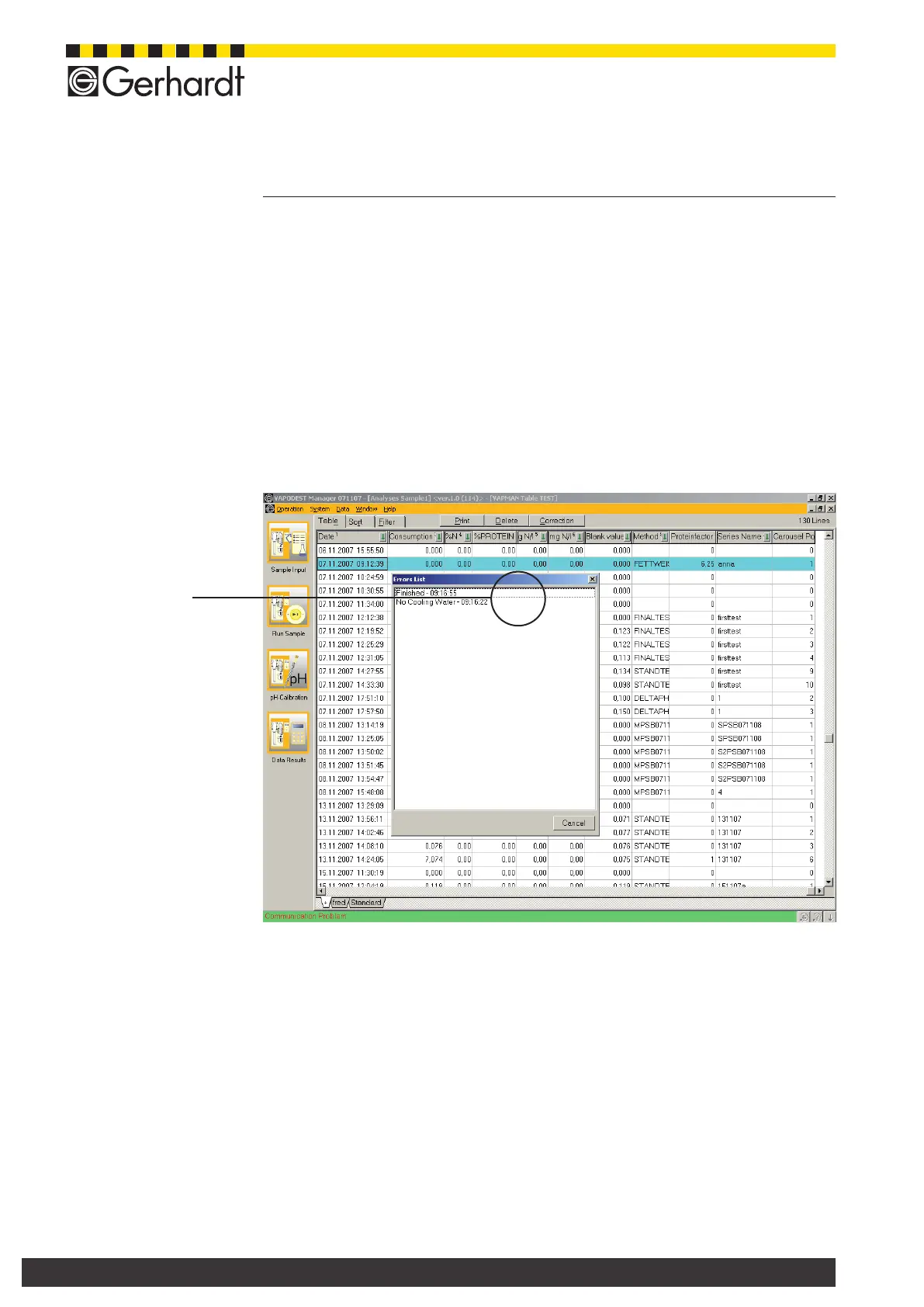
11.2.5. Display program records
All incidents which occur during the analysis are recorded in the result table to-
gether with date and time. A double click on a program line opens an "Error-List",
which records all incidents.
11.2.6. Export data in CSV
You can export data into CSV-format. When exporting into the CSV-format lter- as
well as sorting functions are taken into account.
- Open the result table and select the desired table sheet in the respective ta-
ble.
- Set lter- and sorting functions
- Press the right mouse key..
- Select "Export" from the context menu.
- Enter a name for the le and press key "Store".
The exported data can now be opened in an excel sheet.
11 Table of results
Fig. 11.2.5.a
Errors list



 To Next Page