31
Vapodest 50s carousel
7.4. Autosampler
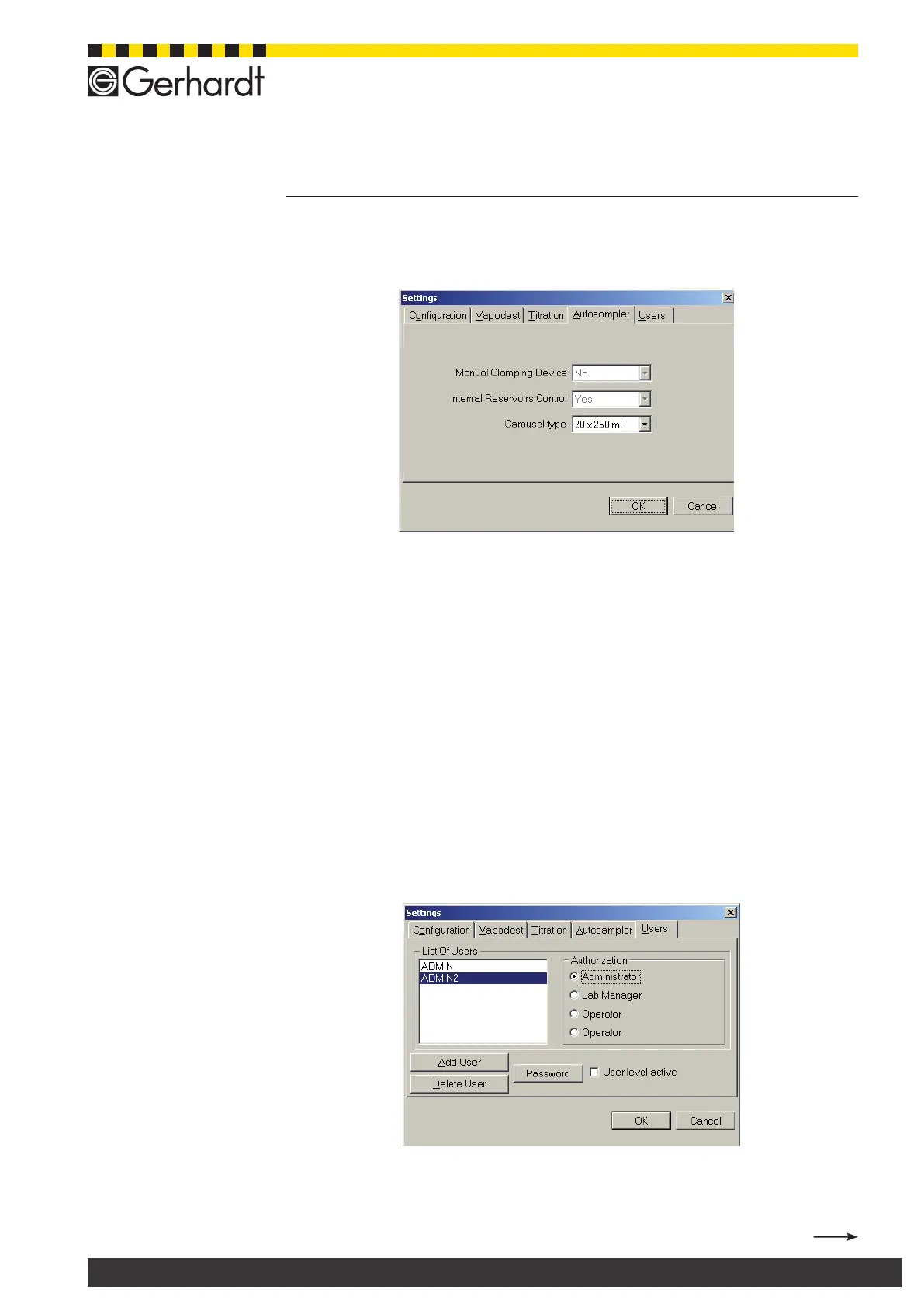
In the menu bar select System > Settings > Autosampler, to open the following
window.
7.4.1. Manual clamping device
Only when working with Vapodest 50 without the carousel (autosampler), you have
to enter "yes" here (also see chap. 10.6. Manual change of samples).
7.4.2. Internal reservoir control
Only press ‘yes’ when using the internal set of tanks for the carousel otherwise
make sure to press ‘no’ always.
7.4.3. Carousel type
Select the type of carousel you want to use:
- 20 x 250 ml (standard)
- 16 x 400 ml
- 12 x 800 ml
7.5. How to manage user
In the menu bar select System > Settings > User, to open the following win-
dow.
Registration as administrator
To be able to use the following functions, you have to register as "Administrator".
Mark the eld "User area active" and press button "Password".
7 System settings



 To Next Page