28
Vapodest 50s carousel
7 System settings
In this chapter the basic functions for Vapodest are explained. For standard pro-
cedures it is sufcient to determine these functions once when the instrument is
taken into use for the rst time.
Press the key "OK", to conrm changes. Press key "Leave", to abandon menu
eld without any changes.
7.1.Conguration
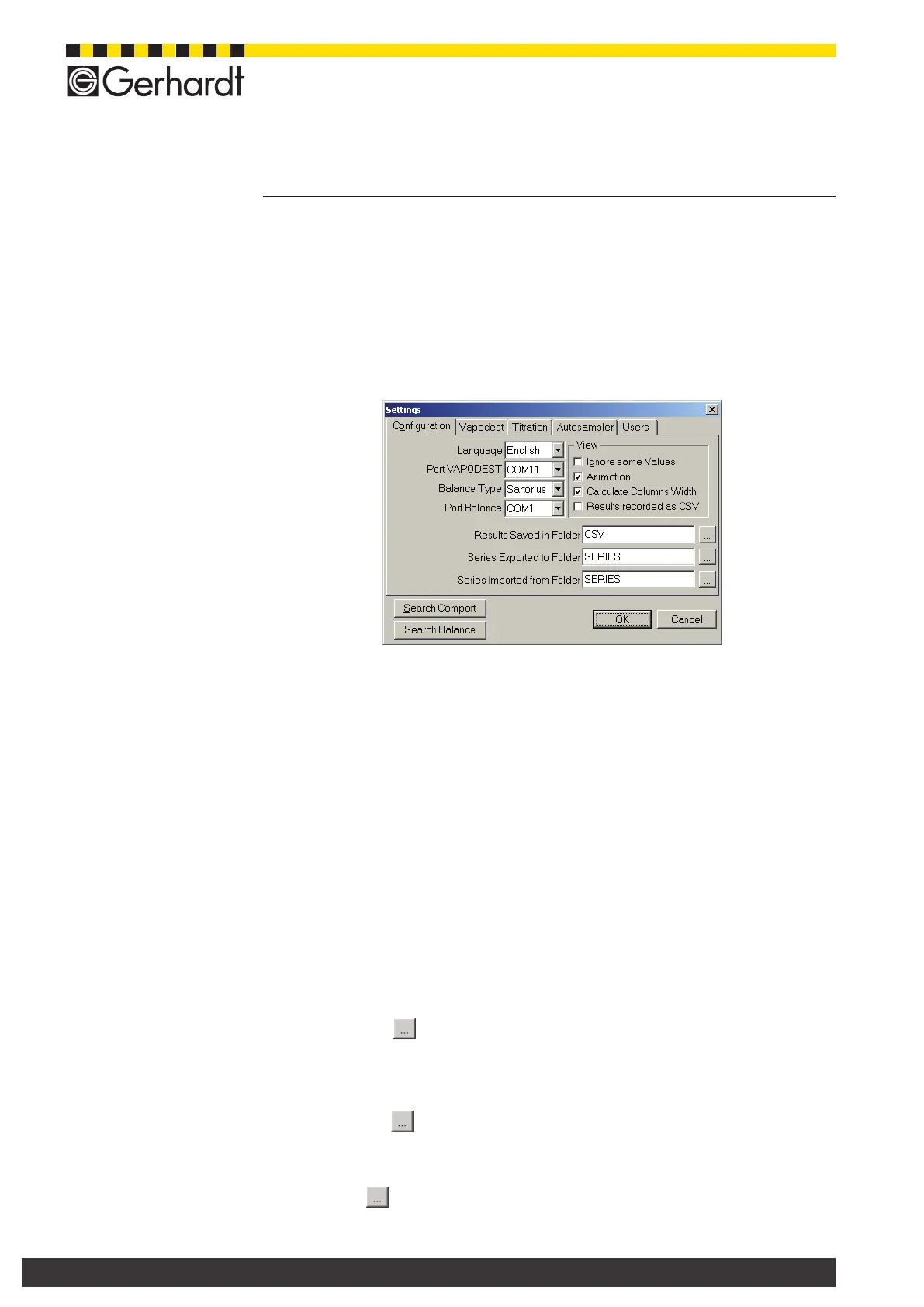
In the menu bar, select System > Settings, in order to open the following window.
7.1.1. Language
At any time, you can select a language. It is not necessary to start the software
again to do so.
7.1.2. Select interface- Port Vapodest
Vapodest Manager automatically takes COM 1 as available interface. Is the di-
stillation unit connected to another port, this one has to be selected in the list of
options. Press key "Search Comport", to select a free interface.
7.1.3. Type of balance
Here, you select the type of balance you are working with. Should it not be listed
here, contact C. Gerhardt.
7.1.4. Select interface for balance - Port balance
Select the relevant interface of the balance from the list of options (see also chap.
5.9).
7.1.5. Determine the locations of storage for results, in- and export
- Savingthedataofresultsinle...
Press the key , to dene a memory for your analysis results. The results
will be stored in CLV format, to that they can be imported by most spread sheet
programs Each of the results is stored in its own le.
- Storing of data of series in folder ...
Press the key , to dene a memory for the export of your series data. The
entire series is stored in its own le.
- Seriesoflesisimported...
Press key , to determine a search path for the import of the data for the
sample series.



 To Next Page