55
Vapodest 50s carousel
- Furthermore, you can assign the sorting function from an existing table. (see
chapter 11.2.2. Sorting data). "Pre-setting" is an ascending sorting according
to date and time.
- Press key "OK" or "Enter" to conrm new table with the options entered.
Then, a new table window will open.
11.1.2. Delete table
In order to delete a table you have to proceed as following:
- From the menu bar select "Table".
- With your mouse or the key ABOVE and DOWN select the table you want to
delete and press the key "Delete"..
- Conrm procedure with key "OK".
11.1.3. Open table
Select a table from the list of tables and conrm with key "OK". If there is no table
listed, you have to dene a new table (see 11.1.1. Setting up new tables). Also
you can open two or more tables simultaneously.
11.2. How to work with the table of results
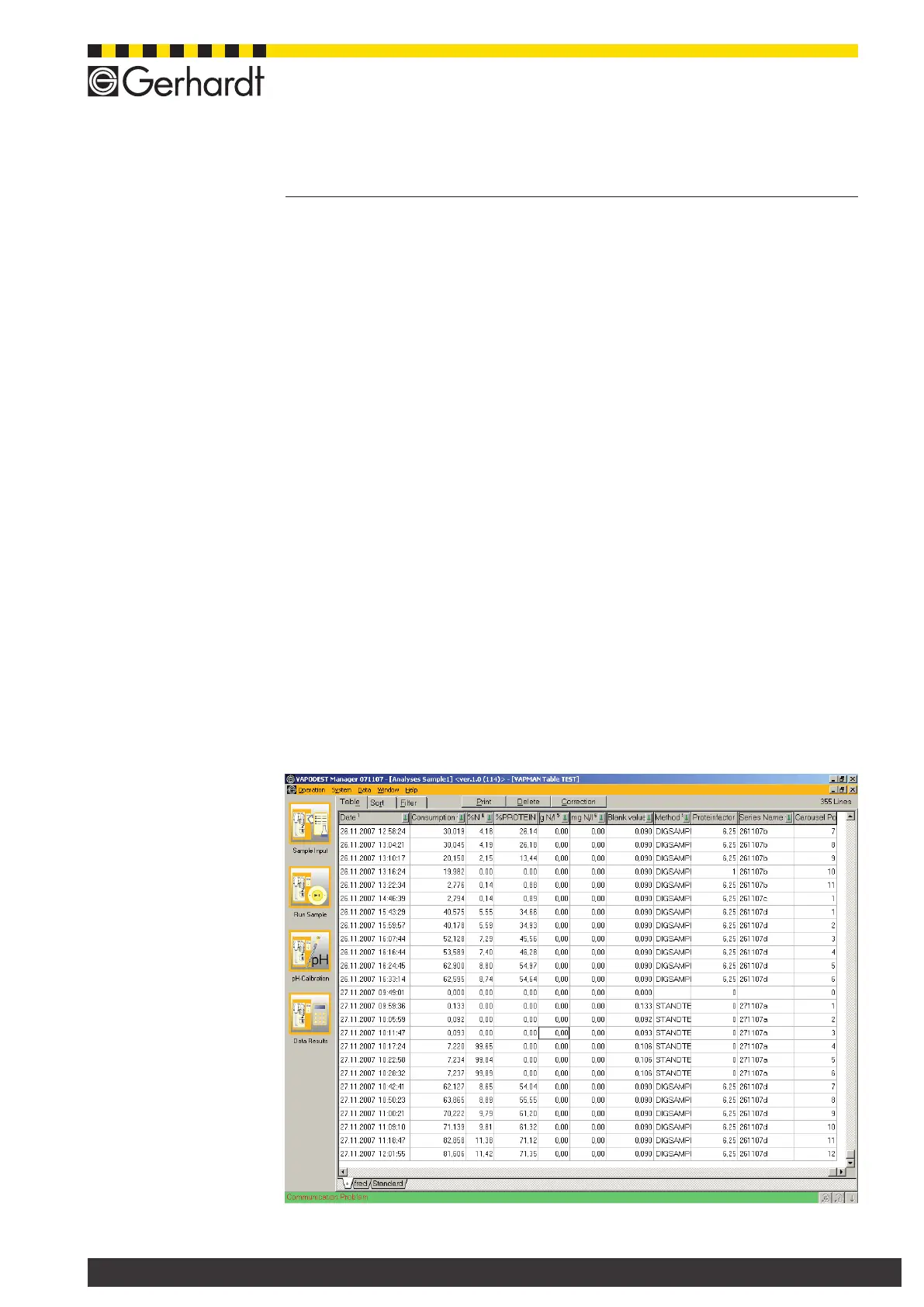
In the table of results, the data of the analysis as such are shown. The tables offer
the options sorting, lter and presenting the data in any way desired. One table
may contain several work sheets. However, each of these sheets may contain
a different conguration of rows and/or columns. Please note that the lter- and
sorting functions are always valid for all work sheets.
11.2. How to work with the table of results
In the table of results, the data of the analysis as such are shown. The tables offer
the options sorting, lter and presenting the data in any way desired.
11 Table of results



 To Next Page