29
Vapodest 50s carousel
7 System settings
7.1.6. View
Ignore identical values
This option is for the presentation of data in a logbook-table. Should
several values be identical within one column, they will be shown by a space
holder.
Animation
Activate this option so that during the analysis a simple animation is
shown.
Width of column automatically
Relates to the presentation of the texts in the columns of the table.
Activate this option to automatically adapt the column width to the length
of the text automatically.
7.2. Vapodest
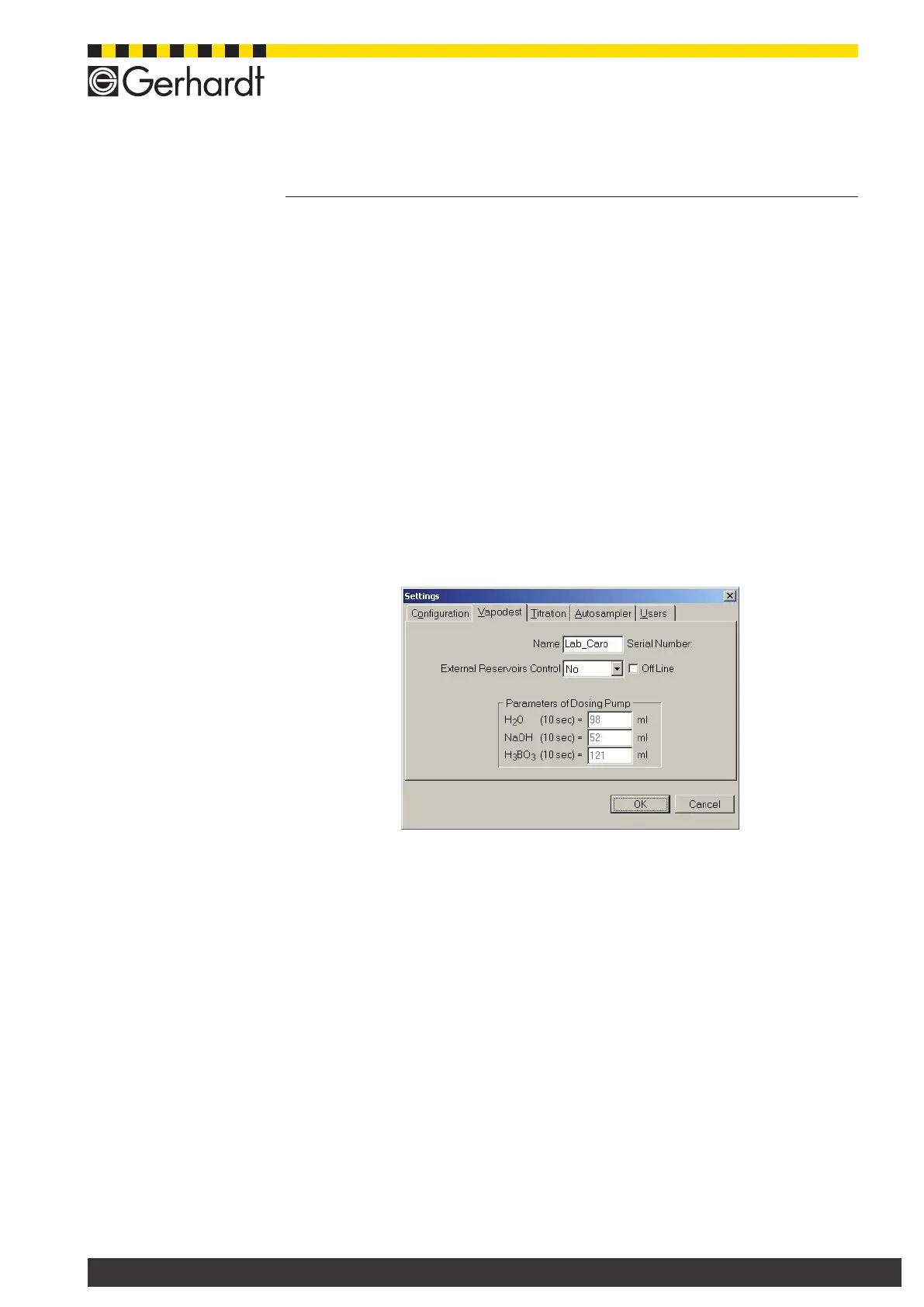
In the menu bar select System > Settings > Vapodest, to open the following
window.
7.2.1. Name
Enter any name for Vapodest. This name will be on all print outs of the system.
7.2.2. Using an external set of tanks
Please answer with ‘yes’ only if you are using the set of tanks KAN 50 with level
sensor.
7.2.3. Pump volume of the dosing pumps
Information about the delivery volume of the respective dosing pumps. The cali-
bration of the dosing pumps is described in chapter "7.9. Calibrate dosing pumps".
7.2.4. Off line (demo mode)
Activate this option to start Vapodest Manager in self-sufcient demo mode (without
distillation system), e.g. for presentations, trainings and many more.



 To Next Page