37
Vapodest 50s carousel
7 System settings
7.9. Calibrate dosing pumps H
2
O and NaOH
The delivery rate of the pump depends on the viscosity of the chemicals used, the
delivery height and further other conditions. Thus, you must calibrate the dosing
pumps prior to the rst operation or whenever the chemicals used are changed.
Reference note
In order to run the following functions, you have to register as an "Admi-
nistrator".
7.9.1. Calibrate dosing pump NaOH and H2O
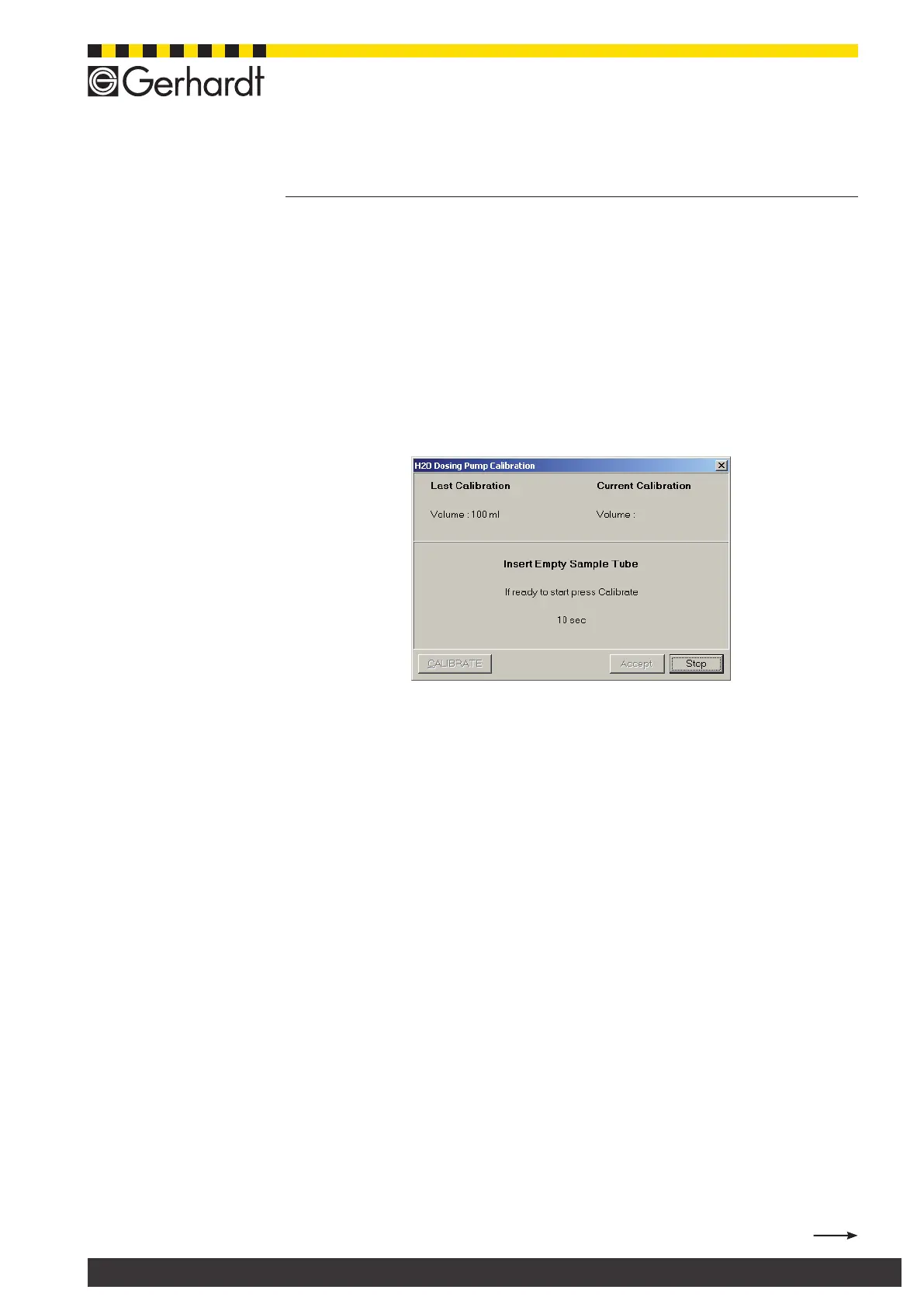
In the menu bar select System > Service > Adjustment > NaOH dosing pump
or "H2O Dosing pump" to open the following window.
Comment:
The calibration of the pump can only be done if you put in an empty digestion
tube. In order to do so you have to take out the glass guiding cage and to put in
the clamping lever for the manual glass addition.
Also read chap. "10.6. Manual change of sample". Make sure that the tanks are
lled with the respective chemicals.
1. Push quick clamping device down and put in empty digestion tube.
2. Aerate tubing. Press Vapodest-key "H2O" or "NaOH" till liquid accumulates
in the digestion tube.
3. Empty digestion tube and then put it in again.
4. Press key "CALIBRATE", to start process. The pump runs for about 10 s and
lls the digestion tube.
5. Then take out digestion tube and ll the content in a measuring cylinder to
determine the delivery volume.
6. Enter the volume in the dialogue eld and press key "Continue".
7. Press "Accept", to nish process or run another calibration.
8. After the calibration of the pump you have to take out the quick clamping device
and insert the test tube guide cage.



 To Next Page