26
Vapodest 50s carousel
6 Operation
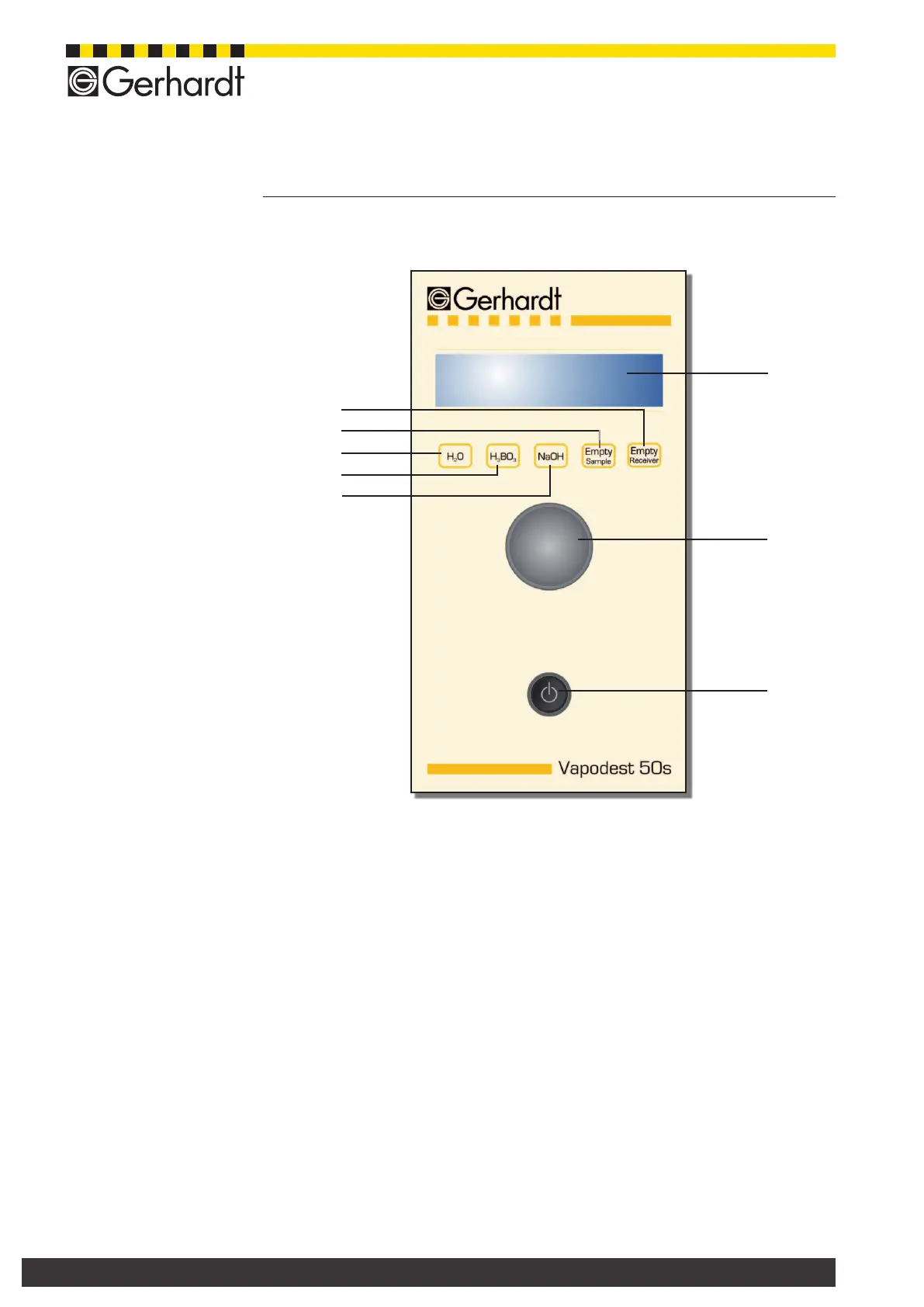
6.2. Operator panel Vapodest
1. Display Shows the current status of the instrument
2. Operator button Key button with dual function
Turn it= contrast is increased or decreased
Press it = store contrast settings
and conrm procedure
3. Mains switch Turn instrument on or off
4. Key "NaOH" Manual addition NaOH
5. Key "H
3
BO
3
" Manual addition H
3
BO
3
6. Key "H
2
O" Manual addition H
2
O
7. Key "Empty Sample" Manual suction sample tube
8. Key "Empty Receiver" Manual suction receiving vessel
Fig. 6.2.A:
Operator panel
Vapodest 50s
7
4
6
1
2
3
5
8



 To Next Page