56
Vapodest 50s carousel
11.2.1.Howtocongurecolumns
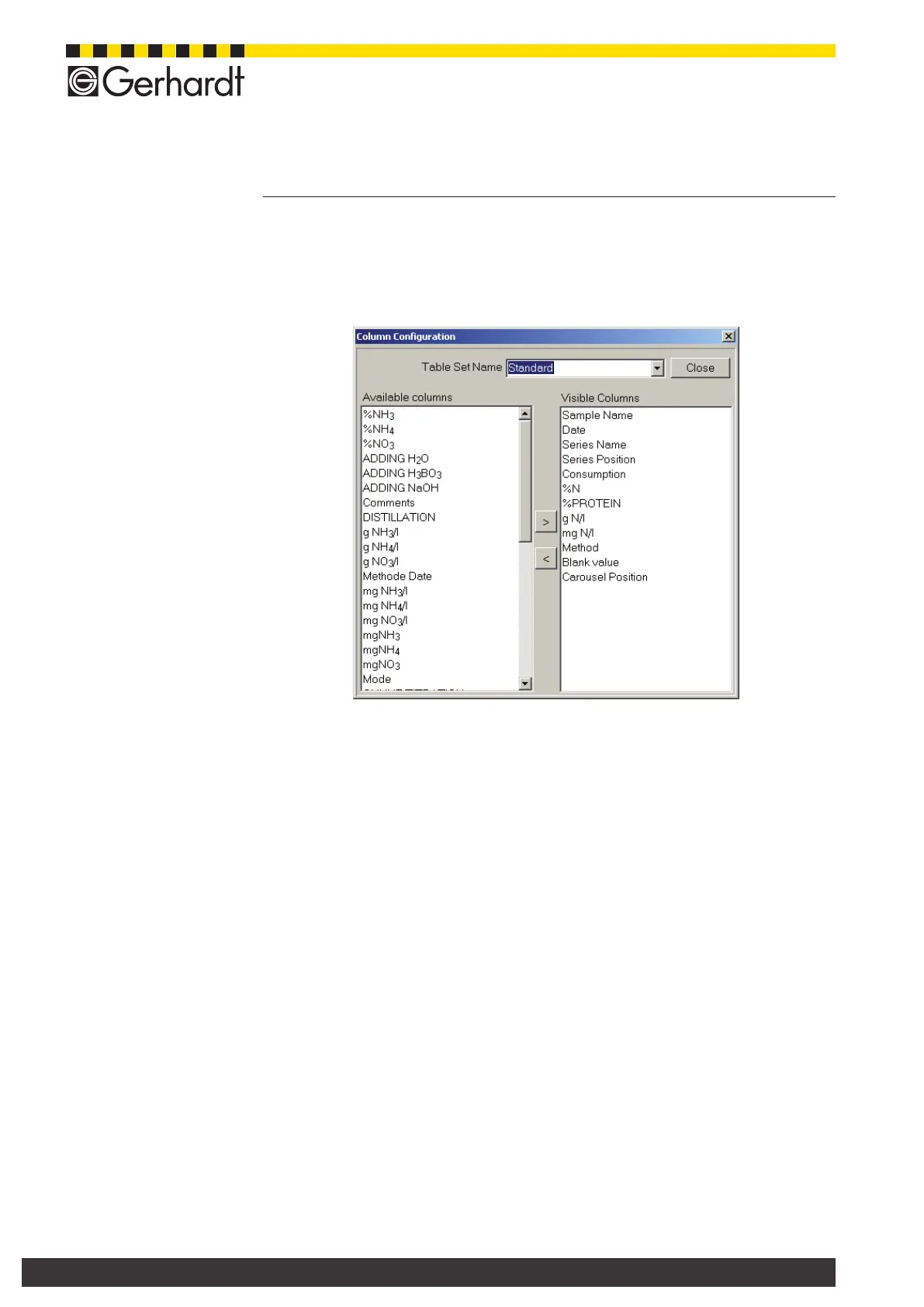
In this menu you can determine which columns should be shown in the table.
- With the right mouse key click on the table to open the context menu and select
"Congurecolumns".
- On the left side you see all available columns. These columns can be selected
individually and by pressing the key ">" they can be shifted to the right side
into "Visible columns" and vice versa.
- In the eld "Table sheet denomination" you can assign a name to store the
functions.
- Press key "Close", to store the functions.
- For each setting, an individual table sheet is set up. Several table sheets can
be shown in one table. These table sheets can be selected by simply clicking
on them.
11.2.2. Sorting of data
You can sort all data within the table window in descending or ascending order.
The sorting function is activated by clicking on the head line of the individual co-
lumns. There will be a green arrow, which shows whether the data are sorted in
descending or ascending order. You have to press the green arrow to change the
direction. Furthermore, digits are displayed which indicate in which priority (order)
the columns are sorted.
The table window "Sorting" can also be used for sorting the data. Here, the selec-
tion of the columns to be sorted is done using the keys "<" and ">".
11 Table of results



 To Next Page