40
Vapodest 50s carousel
8 Create a method (Programming)
In this chapter all parameter necessary for the control of the analysis are explai-
ned.
8.1. Open list of methods
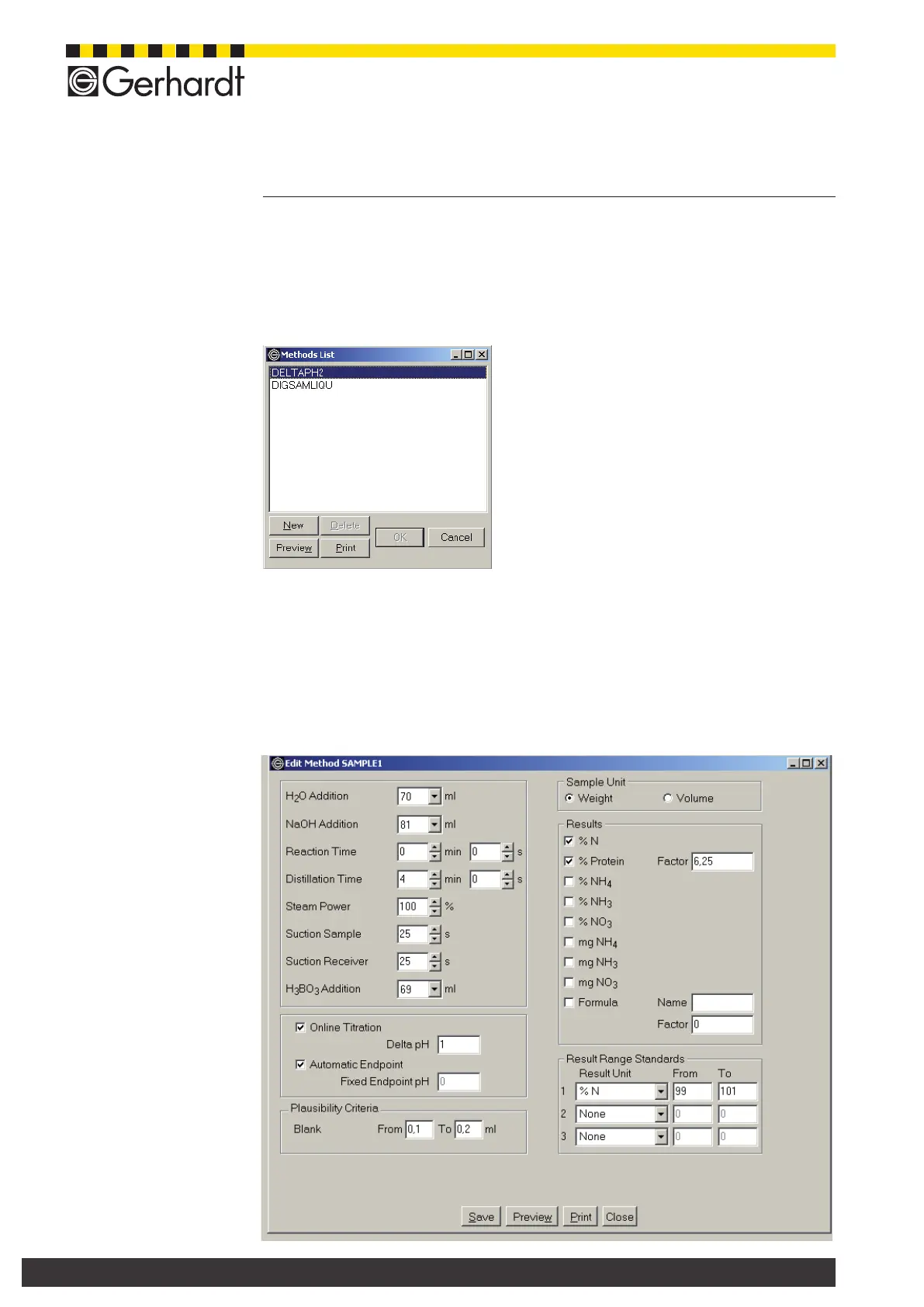
From the menu bar select Operation > Method, to open the following window.
A list with the methods already dened is
shown. Now, you can create a new method
or delete, edit, view and print out an existing
method.
8.1.2. Create a new method
Press key "New", and enter a method name in the dialogue window. Then press
key "OK", to open the method window. The programming example refers to a
sulphuric acid digestion acc. to Kjeldahl, during which 20 ml H
2
SO
4
were used.
The remaining amount of acid after the digestion is important for the program-
ming. It depends on the type of sample, the digestion time as well as the digesti-
on temperature.



 To Next Page