64
Vapodest 50s carousel
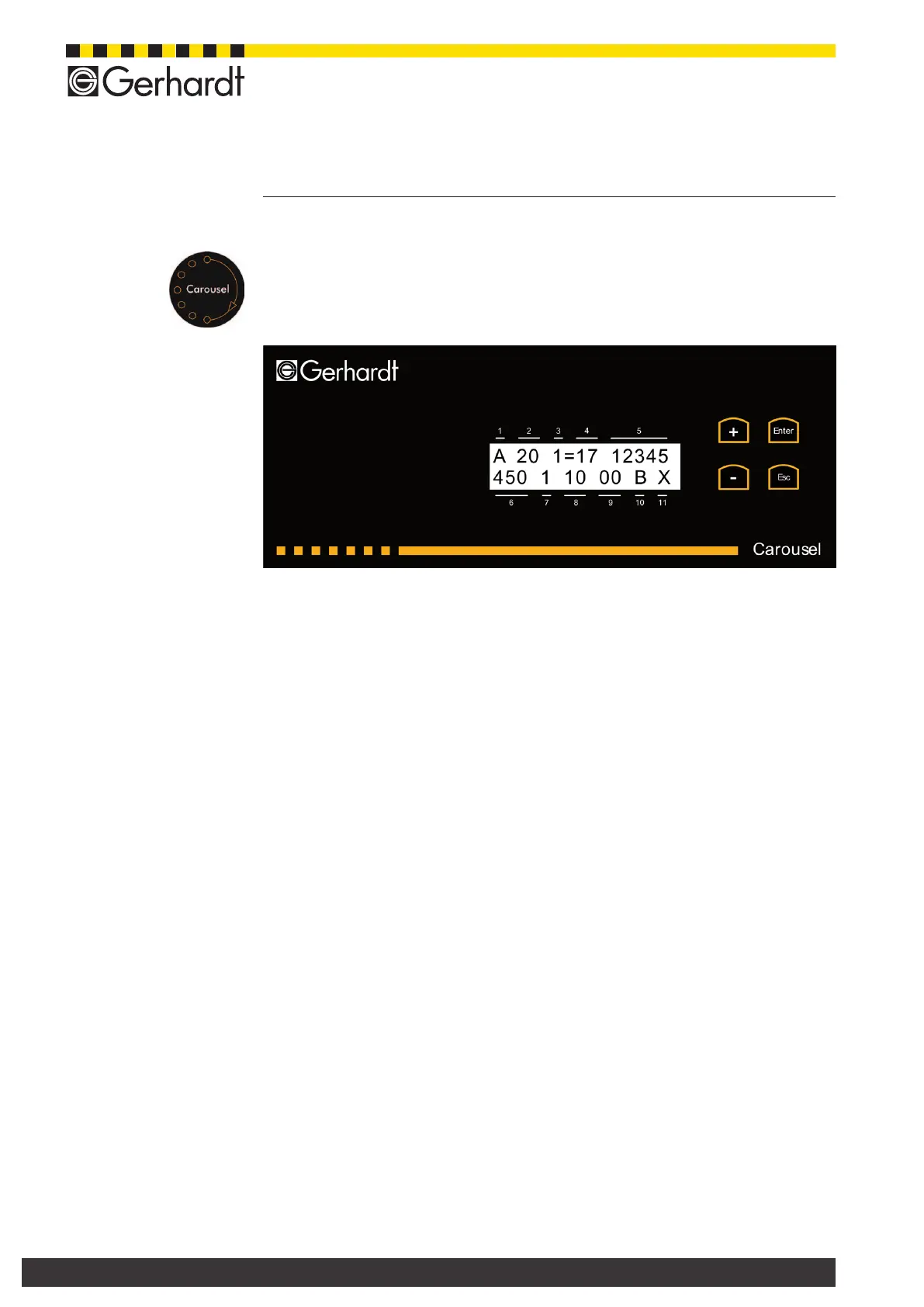
13 Service display of the carousel
The service display helps to detect errors fast. Furthermore, the current opera-
ting status is shown and can be transmitted directly to the customer service desk
of your dealer. In order to open the service drawer, please touch the sensor for
about 5 seconds. After opening the service drawer, the service display shows the
current number of the version in use and then, switches automatically to the main
menu.
13.1. Set the contrast
While being in the main menu, push the key "-" once and conrm with "Enter".
Now, the contrast can be changed by using either "+" or "-". After setting the
desired contrast, press "Esc". The settings are stored. By pressing "+" you get
back to the main menu.
13.2. Autosampler test
By using the test for the autosampler all functions of the carousel are tested au-
tomatically. From the main menu press the key "-" twice. Press "Enter" to start
process. The program can be interrupted at any time by pressing "Esc".
13.3. Description of the various positions in the main menu
In the main menu 11 positions are displayed to indicate the available functions and
the current operating status of the carousel.
1. Status of the Carousel (1-digit display)
L = Loading; the autosampler is working on its own and is not yet controlled
by the program of the Vapodest 50s.
A = Auto, the program of the Vapodest 50s controls all functions of the au-
tosampler; the analysis has been started.
T = Test, a test program can be called up for a simple test of the autosampler
in order to simulate an entire work process for the selected carousel.
2. Type of Carousel (2-digit display)
Shows the type of carousel selected. The display has to correspond to the type
of carousel and the setting of the software.
20= carousel 20-place
16= carousel 16-place
12= carousel 12-place
3. Super sonic (1-digit display)
Check by ultrasound whether there is a tube in the current state of the analy-
sis.
1 = Tube
0 = No tube
Sensor key
for opening
the drawer



 To Next Page