43
Vapodest 50s carousel
9 Sample input
In this chapter entering the sample data in a series is described.
A series contains a maximum of 20 samples and can include samples, blank samp-
les and standards. Each type of sample can be assigned an individual program.
Make sure that the carousel has to be loaded with sample glasses in the correct
order to obtain correct results (also see chap. "12.2.2. Loading of carousel").
9.1. Open sample series list
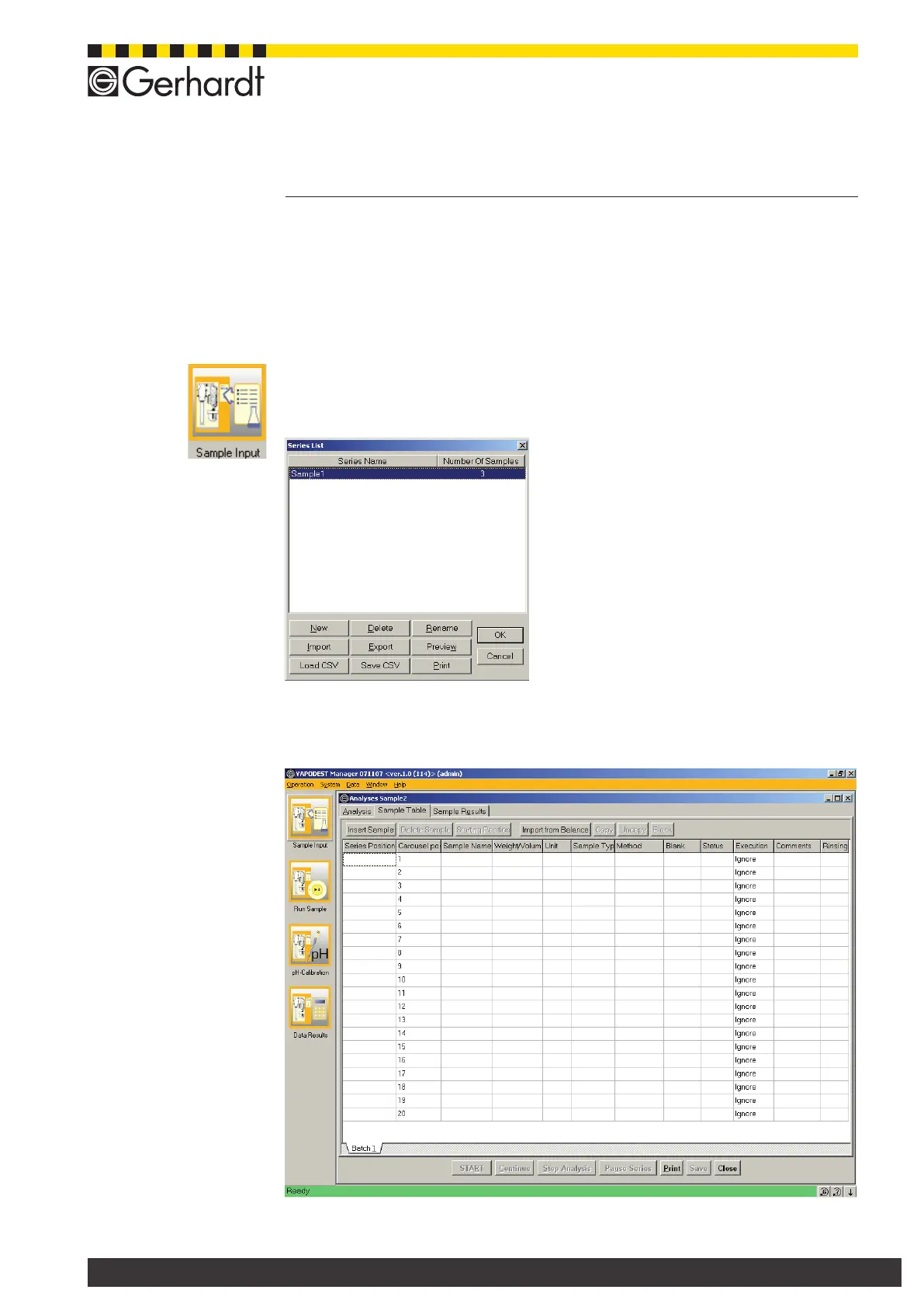
From the menu bar select Operation > Sample input, or press push button
„Sample input" to open the following window.
A list with pre-dened series is shown. You
can create either a new series or edit, delete
or print existing series. Using keys "Import"
and "Export" you can import or export data in
CSV-format. (Also see chap. 7.1.4. Where to
store in- and export data).
Red Text = Series has been processed
Black Text = Series has not been proceeded
or only partially proceeded
9.1.1. Set up new sample series
Press key "New", and enter a name for the series in the dialogue window. Then
press key "OK" to open a sample series table.
The table consists of lines and columns and each line is assigned a sample type.
A series can have a maximum of 20 lines (Samples).



 To Next Page