GAV Settings
9.7 Mandrel Evacuation
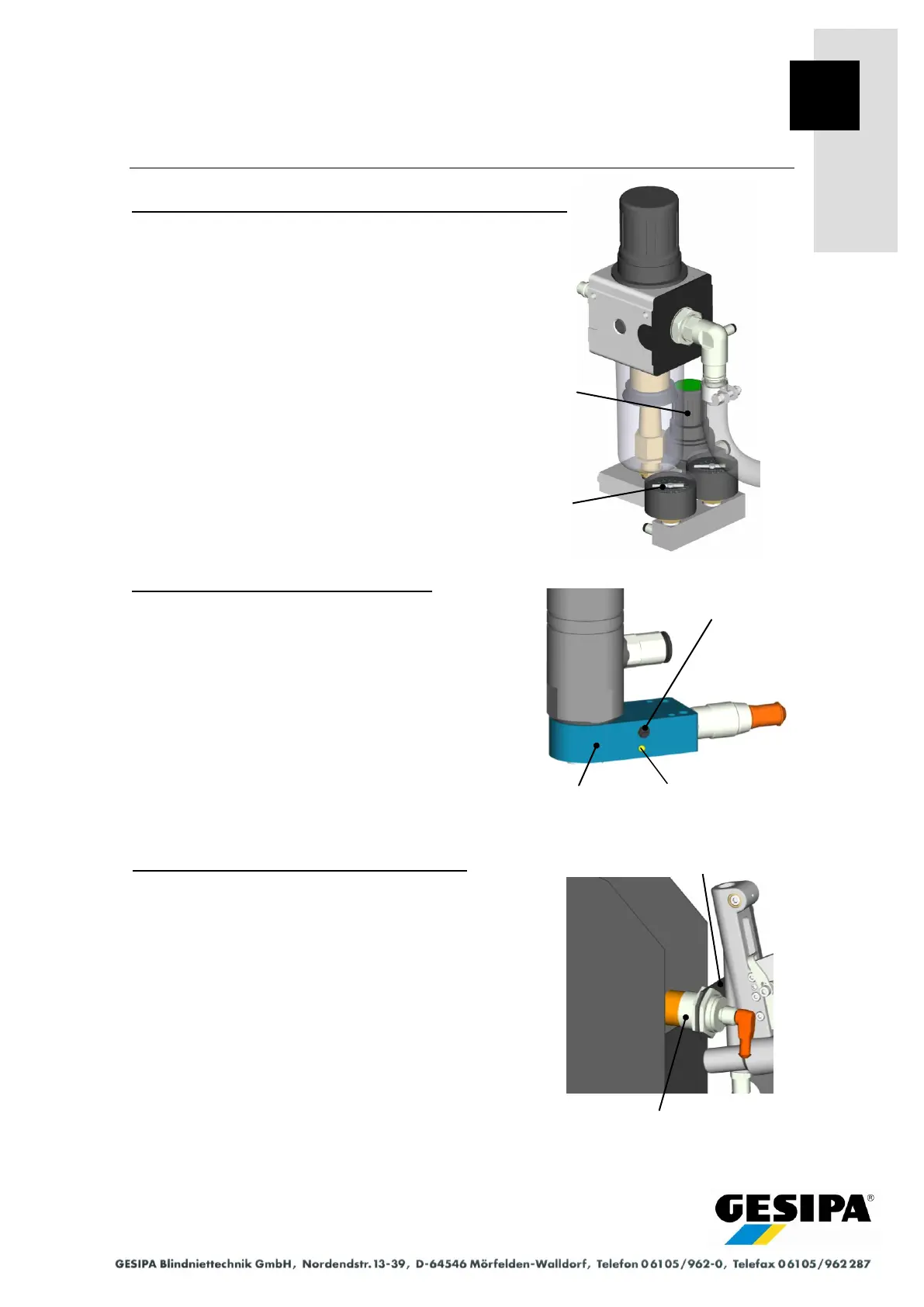
Basic setting of operating pressure for mandrel evacuation
- Activate mandrel evacuation with "Mandrel Evacuation"
function in the "MAN" menu.
- With mandrel evacuation active, set the mandrel evac-
uation pressure reducer valve to 4 bar (flow pressure),
check at mandrel evacuation pressure gauge.
Basic setting of RS1 mandrel evacuation
- Turn the setting screw of the ring sensor RS1 clockwise
(more sensitive) until the LED indicator comes on.
- Turn the setting screw of the ring sensor RS1 anticlock-
wise (less sensitive) until the LED indicator goes out.
The sensitivity of the ring sensor RS1 must be varied de-
pending on the material and dimensions of the spent
mandrel.
The switching status of the ring sensor RS1 can also be
checked in the "Mandrel Evacuation Settings" menu.
Basic setting of NS3 spent mandrel container
- Undo lock nuts of sensor NS3.
- Set sensor NS3 as far as possible in the spent man-
drel container direction.
- Tighten lock nuts of sensor NS3.
- Undo holder mounting screws.
- Push spent mandrel container to just before the sen-
sor NS3.
- Set the height of the sensor NS3 to just above the
edge of the spent mandrel container.
- Tighten holder mounting screws.
Pressure reducer
valve
Mandrel evacuation
Pressure gauge
Mandrel evacuation



 To Next Page