Process Monitoring
11.8 PLC Profile Lists
The "PLC Profile Lists Set-
tings" menu is accessed from
the AUTO main menu with:
►MAN
► Menu
► Process monitoring
► Profile
► List
►PLC
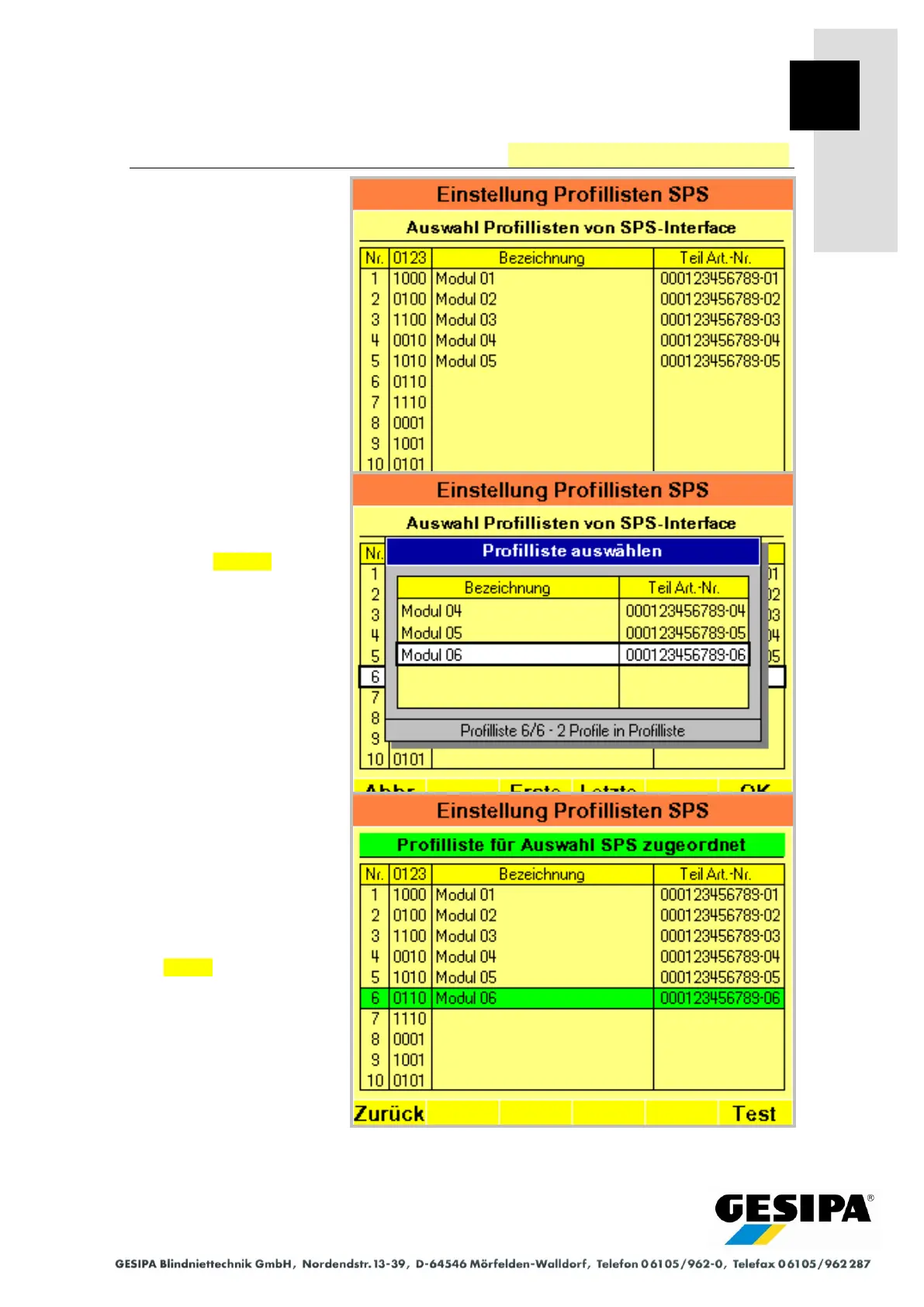
10 profile lists for direct selec-
tion from the PLC interface
can be made available here.
After selecting the position to
be edited a window with the
available profile lists opens.
The required profile list can
now be selected and as-
signed with OK .
Profile lists selected from the
PLC interface are highlighted.
PLC activation is described
under "Profile List Selection"
in Section 28 "PLC Interface".
You can switch directly to the
"PLC interface test" menu
with Test .



 To Next Page