MDE-3664B TRIND® Start-up, Service, and Parts Manual · June 2013 Page 8-7
Tag Testing Testing and Troubleshooting
Hand-held Test Tags
To test the Hand-held Tags, proceed as follows:
1 Place the unit into the standalone mode. For the appropriate standalone cable connection, refer
to “Standalone Jumper Cable (R20602-G2) for Enhanced Gateway” on page 5-3.
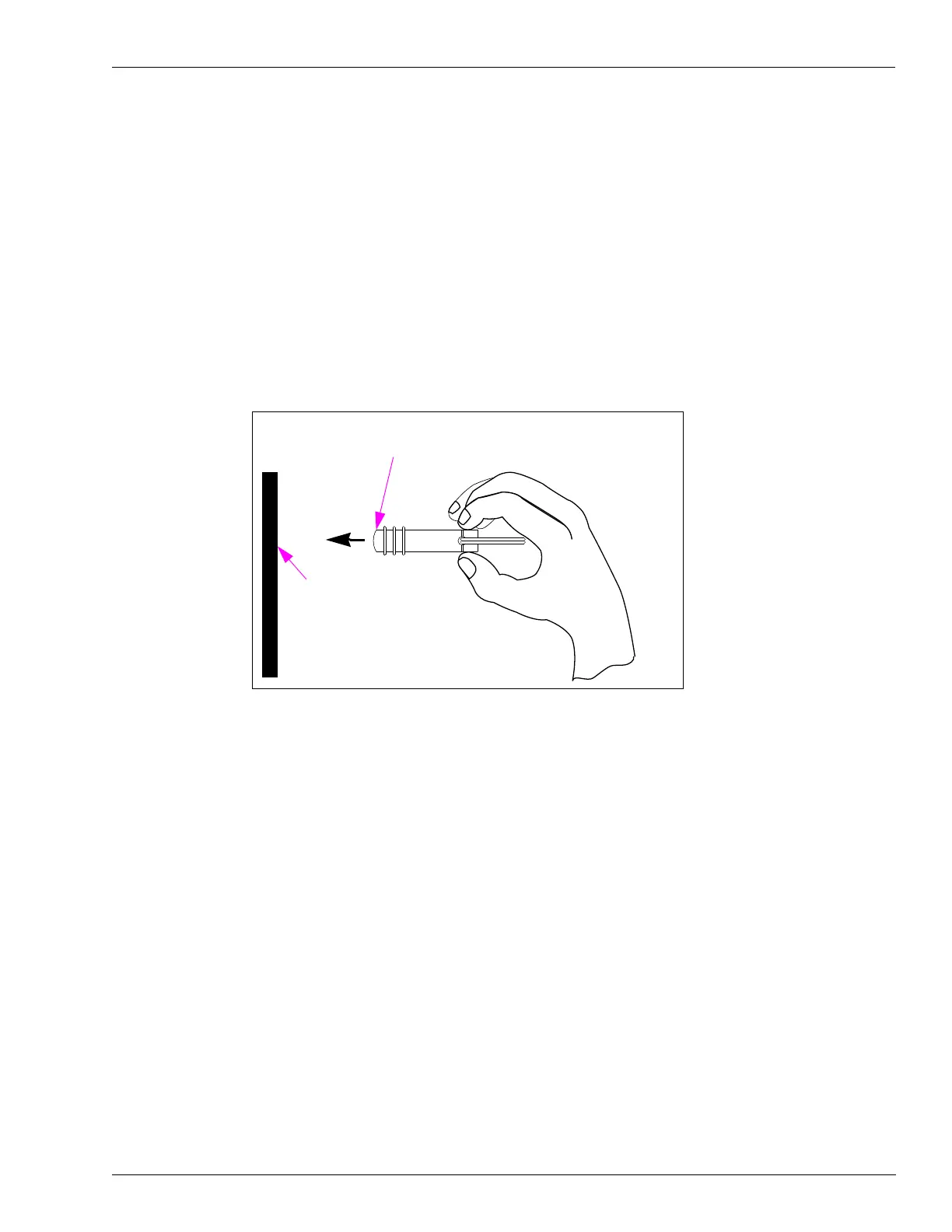
2 From Side A of the unit, point the Hand-held Test Tag, from the ASC TRIND Tool Kit at the
TRIND target graphic (see Figure 8-6). The TRIND indicator lights when the tag is
approximately 3 inches or less away from the targ
et graphic. Repeat for Side B.
Note: If the indicator fails to light, check whether th
e light on the other side is on; if so, it
indicates a crossing of Side A and B cables. Check the connections.
Figure 8-6: Positioning TRIND Hand-held Test Tag
Target Graphic
POINT MUST BE WITHIN 3 TO 6 INCHES OF TARGET GRAPHIC
IMPORTANT!
3 Repeat steps 1 and 2 for Side B.



 To Next Page